Connect With Me In Facebook

Welcome to DefendHackers, If u want to Apply for a Blogroll as a Author , With h4ckfreak Mail me @ suren.click@gmail.com

Mark Zuckerberg tells 8th graders “there’s no shortcuts” and to make friends

By h4ckfreak

Metasploit Quick Start Referennce Guide

Metasploit Quick Start Referennce Guide , By h4ckfreak

IP Security

IP Security By H4ckfreak.

15 Network Admin Apps for Android

15 Network Admin Apps for Android , By h4ckfreak

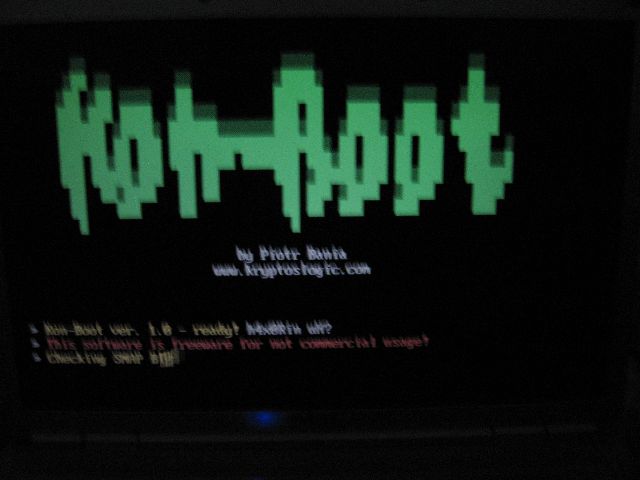
Break All OS Passwords Using KON

Break All OS Passwords Using KON , By h4ckfreak

Recover Or Reset Ur Windows Pwd Using Ubuntu

Recover Or Reset Ur Windows Pwd Using Ubuntu , By h4ckfreak

Security Blueprint For Ethical Hackers..

By h4ckfreak

Blocking IP Using IPSec

By h4ckfreak

Preventing DDos Attacks, Combat Steps abd Tools...

By h4ckfreak

Thursday, January 13, 2011

Analysis of a PDF attack:

Our Research Papers Are ripped and compiled by the way even n00b can understand if u go weird about somethin.y shyin drop comment and share it..!! Yeah Here is thhe Picture """Hacker Found a Loophole In Adobe Reader So He Hided The .exe Files With PDF Book, There s another Hacker Who Found A LoopHole In Playin Vdos In Adobe Reader “These r the News , We Often Hear”, And If You Ask Me Why Its Coz, Almost Every Month Adobe Fixes D Issue Our Guys Start To Find A Exploit,, And it makes Global Noobs To get freakin Scared , There FOXIT READER Understand The Opportunity And Marketed Their New PDF Reader, Guys TRUST ME..!! Foxit has Lotta Mother Fuckin Options Wen Compare to the Adobe…!!!

So How These Hackers Tryina Find Exploits In PDF, over the past twelve months, the following scenario was developed to highlight methods used by attackers to extract corporate secrets from a victim organization. Not every attack follows these steps in this order. However, this scenario illustrates some of the most common and damaging tactics used against commercial and government organizations today.

Here We Goè

Step 1: The attacker begins by using powerful free attack software to create a malicious PDF file that containsexploitation code. If this file is opened on a victim computer with unpatched PDF reader software, this code will execute commands of the attacker’s choosing.


Step 2: The attacker loads the malicious PDF file 2 a third-party website.The attacker then loads the malicious PDF file on a publicly accessible website.


STEP 3 : The attacker now sends e-mail to high-profile individualin the target organization, including corporate officers.This message contains a hyperlink to the attacker’s malicious PDF file on the external Web server. The e-mail message is finely tuned to each target individual with a focused effort to get the recipient to click on the link. some other trusted site. The attacker does not includethe malicious PDF file as an e-mail attachment, because such attacks are more likely to be blocked by e-mail filters, anti-virus software, and other defenses of the target organization.


Step4: The victim inside the targeted organization reads the e-mail, pulling down the attacker’s message with the link to the malicious PDF. The user reads the e-mail and clicks on the link.


Step5: When the user on the victim machine clicks on the link in the e-mail message, the victim’s computer automatically launches a browser to fetch the malicious PDF file. When the file arrives at the victim computer, the browser automatically invokes the PDF reader program to process and display the malicious PDF file.


Step6: When the PDF reader software processes the malicious PDF file for display, exploit code from the file executes on the victim machine. This code causes the system to launch an interactive command shell the attacker can use to control the victim machine. The exploit code also causes the machine to make an outbound connection back to the attacker through the enterprise firewall. Via this reverse shell connection, the attacker uses an outbound connection to gain inbound control of the victim machine.


Step 7 : With shell access of the victim machine, the attacker scours the system looking for sensitive files stored locally. After stealing some files from this first conquered system, the attacker looks for evidence of other nearby machines. In particular, the attacker focuses on identifying mounted file shares the user has connected to on a file server.


Step8: After identifying a file server, the attacker uses the command shell to access the server with the credentials of the victim user who clicked on the link to the malicious PDF. The attacker then analyzes the file server, looking for more files from the targetorganization.


Step9: Finally, with access to the file server, the attacker extracts a significant number of sensitive documents, possibly including the organization’s trade secrets and business plans, Personally Identifiable Information about customers and employees, or other important data the attacker could use or sell.


I Hope Guys You Liked The Scene Behind PDF Exploitation Steps, No Hesitation…!! Lets Share it..!!! This Contents Are Strictly Belongs To The Property Of (hackersbay.in)-> HACKERS

How to Secure your Wireless NETWORK:


Niggas, Wereva We GO Some Bullshits, Followin us Freq Doin DoS attack against us, But we never gonna back DOWN..We got 20k hits in a matter 0f one week..it shows our Victory..And Unique Content..!! Back to Business
Lemme take yo thro how to keep ur Wireless network secured if u donn wanna mess up or gettin fucked by some b*****…!


Before to Drive a Truck, Lets learn how to drive, and Wats in it..!! Here are the few Terminologies, You shud know About Wireless networked systems..!! if u don understand this underlyin concepts, it lll be a hard time for u to guarding yo Wireless network..

 SSID: (Service Set Identifier) If u having a wireless router or modem or any shits..the Hardware must have SSID(Like Namin a New born Baby, Yo can name ur Router How it wann be called ba others,But If u take any BSNL Connection Wi fi ASDL Modem Comes With SSID name May be second name of yo father) , Router has a


Device Burned With MAC &SSID Found in the Picture(WANADOO-02DB)
functionality that it can broadcast or stealth broadcast Which means if u scan for wireless networks u often find networks in Broadcast mode (I.e Tikona 1800 204 3333)Like that…In stealth Broadcast we cant identify the wireless network.. MODEM Don have this fuckin option, so that’s y weneva u scan any, u find some home networks modem range..but u can proceed only after Given SSID in the prompt box..!!


 WEP: (Wired Equivalence privacy) this Protocol givea Base level security for all wi fi vendors and system Can benefit from OSI Standardization effort..Tha fat ass option is one can Set in “ON” Or
“OFF”To use this…But Mostly all jerks n Geeks Forcibly set this “ON”

 WPA: (Wi Fi Protected Access) A security protocol tat was designed to secure Wireless Technology and To overcome the WEP Limitations..!! (WPA & WPA2 )


 TKIP: (Temporal Key Intergrity protocol) It’s a More secure version of WEP and it utilize the WPA For Network Security, It uses Some Diff kinda Algorithms than WEP, More trusted Encryption tunnels.(But trust me, most admin will not use this, But the Company Security policy wants to maintain diff security scheme for each heirerachy of the employes in the Org…Admins will deploy this feature)

 MAC: (Media Access Control) Its used to get Multiple access in a Networked Environment,But MAC Address is a 12Digit Hexa decimal number that is associated with Network adapter, MAC Address is unique to each IP Address…(00-12-FA-WE-3R-TR) First 6 digits Says 00-12-FA Manufacturer Code Which say Network Adapter belongs to Whom, And next 6 digit Was assigned to unique Persons WE-3R-TR.

 DHCP : (Dynamic Host Configuration Protocol)  its one of the inbuilt features of Router..It services for the User who restarts the system, Generates the fresh IP address to them to frame the Device address in the network

YOU ARE UNDER COVER:
Whether you are in Wired or wireless Environment..Yo are under Scan by some1 eye, TCP Monitor Or Any one Can use Sniffer tools like packetyzer to and can read your communication Coz all the transportations are not encrypted..
POSSIBLE ATTACKS: EAVESDROPPING(Installing Malicious tools and Make ur machine as a listener, And he hacker gets all packet information coz it was redirected by him to server)
DoS Attacks Injecting Noise Or Interfrences in the wireless network Infinitely, Cause inturn Denial for particular service which tey Requested,Remember A Hacker Can Extract the SSID name of the network in Response to His ICMP Packets..This gives u a Glimpse of Dos Attacks
YES NIGGAS..! SECURE IT BY NOW…..
[i] 3 Scenarios about Yo And Ur SSID:
 Yes we can, Set the SSID Manually
 When yo Buy a Router it Burned With MAC Address, And SSID That is always as “default” name
 Manufacturer of Router Provides a methodology to change ur SSID To secure the Network, Follow that,And Change it With Mixed Alphas Like THIS(H4CK07IC)


[ii] WEP Encryption “TURN ON “ For GodSake..
WEP Encrytion is the standard Encryption scheme for all OSI Network Complicance Products, It comes With Encryption, But doesn’t” TURNED ON” Automatically, Do it And Change all the defaults in the Newly purchased Router..So yo have changed SSID, And Turned On WEP…. I Assume.

[iii] MAC Address Filtering Set ur MAC Address Not Broadcast


This can be done by Entering your MAC Address into your Network access point devices.Doin this Ensures Great level of security..

[iv] DUMP THE DEFAULTS  Change all your defaults passwords.And keep this Security checklist With you…! Which also Includes Changing the Default Subnet that is 192.168.1.0


If you don’t experience routine changes in your network,once in a 3 months keep this checklist and review how your network security is Doing ! Such check ups not only help you to check its tampered or not , But help you to have a peace of mind that you all doing well By Showing ur middle finger Who tryina gain acess..!!

Drop yo comments to interact !!

Tuesday, January 11, 2011

15 Facts about STEVE JOBS

The Apple’s CEO Steve Jobs sells dreams not products. He is one of the greatest corporate storyteller on world stage. People love everything about him whether its his presentation style, quotes or facts about his personal and professional life. There are many amazing and interesting facts about Steve Jobs life and work and 15 of them are here for yo

u.


Steve Jobs Facts

1. Steve was adopted by Justin and Clara Jobs of California
2. Steve Jobs founded Apple in 1976 and he was fired from Apple (the company he founded himself) in 1984 (the same year that Apple introduced Macintosh)
3. Steve founded NeXt, an highly experimental and technologically advanced computer company that introduced embedded graphics that was a step forward towards personal computing.
4. In 1996, Apple bought NeXt and Steve Jobs returned to Apple.
5. In 2000 at MacWorld Expo, Steve became the permanent CEO of Apple.
6. Steve’s Appearance: Slender; wears jeans, with a black turtleneck and running shoes. Many things around on why he chooses the same clothes everyday.
7. He loves Beatles and claim they have inspired his business model.
8. He is a Steve Jobs Facts.
9. His first apartment in New York was later sold to Bono of U2.
10. Steve has big feet, size 14 big.
11. As the Chairman and CEO of Apple Computers, he pays himself an annual salary of $1 per year.
12. He was named The Most Powerful person in Business by Fortune Magazine in 2007.
13. Steve has many awards including National Medal of Technology that he received from the President Ronald Reagen in 1985.
14. His favorite catch phrases are: “Un-be-lievable”; “Mere mortals”; “It’s huge” & “Wouldn’t it be great”.
15. Steve is probably the only corporate honcho to have the displeasure of reading his own obituary, which was fired by financial newswire Bloomberg to its subscribers.


FUNNY GUY.............^_^

Friday, January 7, 2011

PandaLabs Annual Report 2010

In 2010, cyber-criminals have created and distributed a third of all existing viruses. That is, in just 12 months, they have created 34 percent of all malware that has ever existed and has been classified by the company. Furthermore, the Collective Intelligence system, which automatically detects, analyzes and classifies 99.4 percent of all malware received, currently stores 134 million unique files, out of which 60 million are malware (viruses, worms, Trojans and other computer threats).


Topics covered:


* Threats in 2010
* Stuxnet, Iran and nuclear plants
* Cyber war
* Aurora
* Cyber-crime
* Cyber-protests
* Mariposa
* Social networks
* Rogueware
* 2010 in figures
* More BlackHat SEO
* Windows 7 vs Mac OS X Snow Leopard
* Cell phone security
* Spam in 2010
* Vulnerabilities in 2010
* Trends in 2011
* Conclusion


Trojans still dominate the ranking of new malware that has appeared in 2010 (56 percent of all samples), followed by viruses and worms. It is interesting to note that 11.6 percent of all the malware gathered in the Collective Intelligence database is rogueware or fake antivirus software, a malware category that despite appearing only four years ago is creating much havoc among users.


Click here to read full report

Monday, January 3, 2011

Registry/Registrar Separation Coming to an End?

Since 1998, there has been a separation between domain registries that manage and operate Top Level Domains (TLD ) and the registrars that sell domain names. That policy of separation will not be carried forward for a new generation of TLDs ,set to emerge over the course of the next several years.
A number of domain name industry stakeholders — including the .org registry and TLD operator Afilias – opposed the move to remove the separation of registries from registrars. They argued that having cross-ownership could lead to abuses and lack of competition. With a new ICANN policy set to enable cross-ownership, consumer protections will be put in place which may help alleviate those concerns.
“After much debate on the issue of vertical integration, this month the ICANN board voted to allow registrars own new TLD registries,” Roland LaPlante, senior vice-president and chief marketing officer at Afilias told InternetNews.com. “To be clear, Afilias raised concerns about whether adequate consumer protection could be assured in vertically integrated registries/registrars.   ICANN has adopted specific mechanisms designed to guard against abusive practices that could harm domain name registrants.”
With the new ICANN policy, there is now an opportunity for Afilias to profit from the new rules. LaPlante noted that many registrars have already approached Afilias as a potential back-end service for TLDs they plan to apply for.
On the issue of trying to prevent potential abuse of the registry/registrar cross-ownership, LaPlante said that governance of registrar/registry ownership is an ICANN issue. That said, he added that Afilias has a positive track record of ensuring that all registrars have equal access to its registry system. According to LaPlante, it is Afilias’ intention to continue to be vigilant in that area.
While ICANN has opened the door to cross-ownership, potential domain registry operators will need to overcome a number of technical challenges.  That’s where Afilias is looking to profit, with services for potential new TLD registry/registrar owners.
“Afilias is offering a white-labeled registry service to registrars that seek to launch new TLDs in this upcoming round,” LaPlante said. “We also offer this service, as we do for 15 other TLDs, to corporations or communities looking to launch their new TLD bids.”
As part of the new round of TLDs from ICANN, Afilias has previously announced that it is part of a bid for the .eco TLD. With cross-ownership now possible, the ownership landscape of the overall domain name industry could be shifting as well.
“There are a variety of models that may come about from this new TLD round for Afilias or other registry providers – whether as simply service providers, joint ventures, or applying for new TLDs directly,” LaPlante said. “We will be making some exciting announcements as the new TLD application timeframe is finalized.”
ICANN is now in the public comment phase for the final Applicant Guidebook for new generic TLDs.  The public comment period ends on December 10th, after which ICANN plans on spending four months on market outreach about the new TLDs application process.

Sunday, December 26, 2010

Penetration Testing Add-ons for Firefox


In this post, I just wanted to enumerate a few Firefox add-ons that I thought were very useful in conducting penetration tests. I’d be really interested to hear what Firefox extensions other people are using for pen testing. So here it goes!
AddnEdit Cookies: This add-on allows you to easily add, delete and edit cookies in your browser.  (http://addneditcookies.mozdev.org/) Unfortunately, the latest version does not support the newer Firefox 3, until the maintainer updates the package, I’ve edited the latest XPI to work with the latest versions of Firefox. A copy of it can be found here.
DT Whois – Allows quick domaintools.com lookups for the page you are looking at (http://www.beysim.net/dtwhois/)
Firebug – Allows you to read, debug and locally tweak HTML, Javascript and CSS right in Firefox (http://getfirebug.com/)
HackBar – The toolbar that tries to do it all! (http://devels-playground.blogspot.com/)
Leet Key – an add on that makes it trivial to convert text in various formats back and forth.  For example, URL Encode, Base64, Hex and even morse code. |\|347! (http://leetkey.mozdev.org/)
Live HTTP Headers – Allows you to watch, edit and replay HTTP requests (http://livehttpheaders.mozdev.org/)
SQL Inject Me, XSS Me, Access Me - Those are 3 separate add-ons from Seccom Labs that try to make it easy to test Sql Injection, XSS vulnerabilities and Access vulnerabilities. (http://labs.securitycompass.com/index.php/exploit-me/)
SwitchProxy Tool – If you find yourself switching from no proxy, to burp proxy to paros proxy, etc a lot then you will enjoy switch proxy. It will allow you to switch proxy settings with just a few clicks! (http://mozmonkey.com/switchproxy/)
Tamper Data – It will allow you to selectively intercept HTTP and HTTPS traffic and tamper with the requests via it’s nice user interface. It will let you tamper with http headers, post and get requests. (http://tamperdata.mozdev.org/)
Torbutton – If you need to hide behind Tor, it can be only a click away with Torbutton (https://www.torproject.org/torbutton/)
User Agent Switcher - Need to change your user-agent string in a jiffy? Want to look like a robot? User Agent Switcher is here for that! (http://chrispederick.com/work/user-agent-switcher/)
exploit-db Search – Lets you search the exploit-db database right in the firefox search box (https://addons.mozilla.org/en-US/firefox/addon/50241)
SecurityWire Search – Lets you search the top security sites on the web right in the Firefox search box. All sites in the index have been handpicked by the SecurityWire Team. (https://addons.mozilla.org/en-US/firefox/addon/58686)
For a listing and easy installation of all these  on the mozilla ad-ons site. simply follow this link: https://addons.mozilla.org/en-US/firefox/collection/pentesterstools
Hope you enjoy the add-ons, next post will be about general security add-ons for Firefox.


For More Search in Firefox Site underr "web app security and pen testing"

Monday, November 29, 2010

Leaked U.S. document links China to Google attack

Leaked U.S. document links China to Google attack

The information came from the latest WikiLeaks release


The cache of more than 250,000 U.S. Department of State cables that WikiLeaks began releasing on Sunday includes a document linking China's Politburo to the December 2009 hack of Google's computer systems.
The U.S. Embassy in Beijing was told by an unidentified Chinese contact that China's Politburo "directed the intrusion into Google's computer systems," the New York Times reported Sunday, citing a single leaked State Department cable.
"The Google hacking was part of a coordinated campaign of computer sabotage carried out by government operatives, private security experts and Internet outlaws recruited by the Chinese government. They have broken into American government computers and those of Western allies, the Dalai Lama and American businesses since 2002, cables said," the Times reported.
The cable is another piece of evidence, albeit thinly sourced, linking China to the Google attack. Wikileaks is gradually releasing this latest set of cables, and the document in question was not available on WikiLeaks' Web site at press time. The Times, along with a handful of other newspapers, was given early access to the documents.
Security experts have linked the attacks to servers at a university used by the Chinese military, and both Google and the State Department implied that they thought China was behind the attacks when they were first disclosed in January, but nobody has produced conclusive proof that they were state-sponsored.
Google was one of more than 30 companies targeted in the attacks, known as Aurora. Google said the primary goal of the hackers was to access the Gmail accounts of human rights activists, and that the attack apparently failed.
Within hours of Google acknowledging the Aurora attacks, the State Department issued a statement, saying the attacks were serious and asking the Chinese government for an explanation.
The state documents are the latest blockbuster disclosure to come from the document-leaking organization. Earlier this year, WikiLeaks came under fire from U.S. authorities after releasing hundreds of thousands of military documents relating to the U.S. wars in Afghanistan and Iraq.
Wikileaks and State Department representatives could not be reached immediately for comment Sunday. Earlier this year, the State Department said that it regrets, "all of the activities that WikiLeaks has done, past, present, and future."

Avril Lavigne - Live from The Roxy Theater (2007) 1080p HDTV

Avril Lavigne - Live from The Roxy Theater (2007) 1080p HDTV

   Avril Lavigne - Live from The Roxy 
Theater (2007) 1080p HDTV
Avril Lavigne - Live from The Roxy Theater (2007) 1080p HDTV
HDTV | MPG2 1920x1080 29.97fps 38.810 Mbps | Dolby AC3 48000Hz 384 Kbps | 3.94 GB
Genre: Music Video, Pop, Rock, Pop Rock

Avril Ramona Lavigne (pronounced /ˈжvrɨl ləˈviːn/; born 27 September 1984) is a Canadian singer-songwriter, fashion designer, and actress. She was born in Belleville, Ontario, but spent the majority of her youth in the small town, Napanee, Ontario. By the age of 15, she had appeared on stage with Shania Twain, and by 16, Lavigne had signed a recording contract with Arista, now RCA Records. Record executive Antonio "L.A." Reid offered her a two-album deal worth more than $2 million. When she was 17 years old, Lavigne broke onto the music scene with her debut album, Let Go, released in 2002.
 
Enjoy wih Us.>>!