Connect With Me In Facebook

Welcome to DefendHackers, If u want to Apply for a Blogroll as a Author , With h4ckfreak Mail me @ suren.click@gmail.com

Mark Zuckerberg tells 8th graders “there’s no shortcuts” and to make friends

By h4ckfreak

Metasploit Quick Start Referennce Guide

Metasploit Quick Start Referennce Guide , By h4ckfreak

IP Security

IP Security By H4ckfreak.

15 Network Admin Apps for Android

15 Network Admin Apps for Android , By h4ckfreak

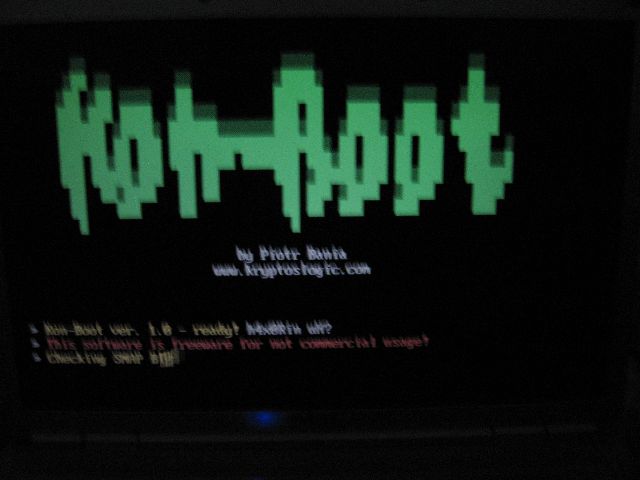
Break All OS Passwords Using KON

Break All OS Passwords Using KON , By h4ckfreak

Recover Or Reset Ur Windows Pwd Using Ubuntu

Recover Or Reset Ur Windows Pwd Using Ubuntu , By h4ckfreak

Security Blueprint For Ethical Hackers..

By h4ckfreak

Blocking IP Using IPSec

By h4ckfreak

Preventing DDos Attacks, Combat Steps abd Tools...

By h4ckfreak

Thursday, August 5, 2010

Anonymity and Privacy on the Internet

Anonymity and Privacy on the Internet  

  Technical 

 General Information


  Here are links to some leading privacy sites

A Note About Web Browsers & Privacy
A brief warning from the early days of the web by Ed Kubaitis
Anonymity, Privacy and Security
Information on how to remain anonymous
Anonymous Communications on the Internet
Study of Internet anonymity and pseudonymity being conducted by the American Association for the Advancement of Science
Bacard's Privacy Page
From the author of the Computer Privacy Handbook
Beyond Concern: Understanding Net Users' Attitudes About Online Privacy
An AT&T Labs study suggests that a "one size fits all" approach to privacy won't work.
CDT's Privacy Watchdog
"Internet users help us assess the state of privacy on the Internet and send a clear message to the business community that privacy matters. Check for privacy policies at the Web sites you visit and answer seven simple questions based on the policy. "
Development of Surveillance Technology and Risk of Abuse of Economic Information
This 1999 document from the Scientific and Technological Options Assessment Panel of the European Parliament looks at the Echelon global surveillance system.
Discovery Channel: Cybersurveillance
A special online report by Patrick J. Kiger
Electronic Communications Privacy Act
Explains the protections afforded to citizens under the US law
EPIC Online Guide to Privacy Resources
Compiled by the Electronic Privacy Information Center
Georgetown Internet Privacy Policy Study (GIPPS)
Assesses the extent to which U.S. consumer-oriented web sites disclose their information practices and policies
Platform for Privacy Preferences (P3P)
This W3C project allows users to be informed of site practices, to delegate decisions to their computer when possible, and allow tailored relationships to specific sites
Privacy Analysis of your Internet Connection
Free, instant analysis of information that is collected about you when visiting a web site. From Privacy.net.
PRIVACY NOW! Campaign
EFF shows support for the essential human right of privacy.

Privacy Site, The
Provides up-to-date electronic privacy news stories from around the Web
Privacy Times
A Washington-based newsletter edited by Evan Hendricks that covers "the legislation, court rulings, industry developments and horror stories that frame the ongoing debate about information privacy".
Privacy.net
Internet privacy information.
Stalker's Home Page, The
Information about the potential for phonebooks on the web to be used for criminal activity.
What's Related?
A solid expose of the privacy implications of Netscape's "What's Related" feature. Ironically, this document is said to be "related" to the Unabomber Manifesto -- huh?
alt.privacy
Privacy issues in cyberspace

   Privacy Organizations  

Electronic Privacy Information Center.
EPIC was established in 1994 to focus public attention on emerging privacy issues relating to the National Information Infrastructure, such as the Clipper Chip, the Digital Telephony proposal, medical records privacy and the sale of consumer data. EPIC conducts litigation, sponsors conferences, produces reports, publishes the EPIC Alert and leads campaigns on privacy issues. For more info email: info@epic.org. EPIC, 666 Penn. Ave, SE, Suite 301, Washington, DC 20003. (202) 544-9240 (tel). Director: Marc Rotenberg.
American Civil Liberties Union.
National civil liberties organization. Originally founded in 1920, the ACLU conducts extensive litigation on Constitutional issues including privacy, and free speech. The ACLU Washington office lobbies Congress for civil liberties and civil rights issues. Email: info@aclu.org. 125 Broad Street, NY, NY 10004-2400. Executive Director: Ira Glasser.
Center for Media Education.
A national non-profit organization dedicated to improving the quality of electronic media, especially on the behalf of children and families. Gruides, reports and other information on children's and consumer privacy. Email: cme@cme.org. 1511 K Street, NW Suite 518, Washington, DC 20005. (202) 628-2620. Fax: (202) 628-2554
Computer Professionals for Social Responsibility.
A national membership organization of people concerned about the impact of technology on society. CPSR sponsors an annual conference, maintains numerous mailing lists on computer-related issues, a large internet site of information and publishes a quarterly newsletter. It has 24 local chapters across the US and several international affiliates. CPSR sponsors working groups on civil liberties, working in the computer industry and others. Contact: cpsr-info@cpsr.org. PO Box 717, Palo Alto, CA 94301. (415) 322-3778 (tel).
Consumer Project on Technology.
The CPT was created by Ralph Nader in the Spring of 1995 to focus on a variety of issues, including telecommunications regulation, pricing of ISDN services; fair use under the copyright law; issues relating to the pricing, ownership and development of pharmaceutical drugs; impact of technology on personal privacy; and several other issues. Box 19367, Washington, DC 20036, (202) 387-8030 (tel), (202) 234-5176 (fax). Director: James Love.
Cypherpunks.
Informal group that develops technological solutions to protect privacy. the Cypherpunks write cryptography and other programs, set up anonymous remailers and discuss political and technical issues. Meetings are also regularly held in California and other states.
EF-Texas.
TX-based, electronic civil liberties organization founded in 1990. Purpose is to engage in and support educational activities that promote a clearer understanding of the social, legal, and technical issues surrounding online telecommunications. Also see newsgroup austin.eff. PO Box 18957, Austin, TX 78760. President: David Smith.
Electronic Frontier Foundation.
Organization formed in 1990 to maintain and enhance intellectual freedom, privacy, and other values of civil liberties and democracy in networked communications. Publishes newsletters, Internet Guidebooks and other documents, provides mailing lists and other online forums, and hosts a large electronic document archive. Email: info@eff.org, ftp: ftp.eff.org, gopher: gopher.eff.org. PO Box 170190, San Francisco, CA 94117, (415) 668-7171 (tel), (415) 668 7007 (fax). Executive Director: Lori Fena.
Global Internet Liberty Campaign.
International coalition of 40 privacy, free speech and human rights groups dedicated to fighting international threats to privacy and free speech on the Internet.
Internet Privacy Coalition.
Coalition of cryptographers, public interest groups and businesses encouraging the widespread use of cryptography and relaxation of export controls on cryptography. Organizes Golden Key Campaign.
Privacy International.
An international human rights group based in London, England with offices in Washington, DC and Sydney, Australia. PI has members in over 40 countries and has led campaigns against national id cards, video surveillance and other privacy violations in numerous countries including Australia, New Zealand, United Kingdom, and the Philippines. PI publishes the International Privacy Bulletin and sponsors yearly international conferences on privacy issues. Email: pi@privacy.org. Privacy International , 666 Penn. Ave, SE, Suite 301, Washington, DC 20003. Director General: Simon Davies.
Privacy Rights Clearinghouse.
A California-based organization formed in 1992. The Clearinghouse has produced many fact sheets and an annual report, and maintains a toll free hotline to provide advice to consumers about their rights. Email: prc@privacyrights.org. 5384 Linda VistaRoad #306, San Diego, CA 92110-2492, 619-298-3396 (phone), 619-298-5681 (fax). Director: Beth Givens.
US Privacy Council. A coalition of US privacy groups and individuals founded in 1991 to deal with privacy issues in the US. USPC works in Washington monitoring legislation and the activities of government agencies. USPC works closely with other groups on privacy issues including National ID cards, reforming credit reporting, Caller ID and international issues. Email: pritimes@nicom.com . (202) 829-3660 (tel). Chair: Evan Hendricks.
US Public Interest Group (PIRG).
The State Public Interest Research Groups (PIRGs). Non-profit, non-partisan consumer and environmental watchdog groups. Advocates for better consumer privacy laws, preventing identity theft and correcting credit reports. Fact sheets and reports available on web. DC Office (U.S. PIRG) Executive Director: Gene Karpinsk.

  US-Based Newsletters  

2600 Magazine. Inside technical information on telephone and computer network operations. Published quarterly. Editor: Emmanuel Goldstein. Email: 2600@well.com. P.O. Box 752, Middle Island, NY 11953. Cost:$21/year.
Access Reports. A biweekly newsletter covering the Freedom of Information Act, other federal open government statutes, and information policy issues on both the legislative and administrative level. It also covers case law development on open government issues in the states. Current trends and issues in privacy are also covered. Tele. (804) 384-5334; FAX (804) 384-8272, Email: hhammitt@accessreports.com.
Financial Privacy News. A monthly newsletter detailing all apsects of privacy, offshore banking, and asset protection. Editor: Dr. Styvesant J. Fishdt III 1293 Pavas 1200 Costa Rica or SJO-966, P.O. Box 025216, Miami, FL 33182 Cost $49/Yr. (506) 231-1480 (t/f) Email: stephenw@sol.racsa.co.cr
Full Disclosure. A monthly newspaper on surveillance and civil liberties issues. Editor: Glen Roberts. PO Box 1533, Oil City, PA 16301. Cost: $29.95/year.
Gray Areas. Covers subject matter which is illegal, immoral and/or controversial. Covers all sorts of privacy issues ranging from urine tests to computer crimes to the rights of prisoners. Editor: Netta Gilboa. Address: Gray Areas, Inc. P.O. Box 808, Broomall, PA 19008-0808. Quarterly. Cost: $8.00/sample $12.00 foreign 4-issue subscriptions are $23 bulk/$32 first class mail/$45 foreign.
Privacy and American Business. Industry perspective on privacy. Editor: Bob Belair. Bimonthly with special issues. Two University Plaza, Suite 414, Hackensack, NJ 07601. (201) 996-1154 (tel). Cost: $395/year.
Privacy and Security 2001. Technical and social aspects of privacy and security. Focuses on electronic surveillance and counter-measures. Editor Jim Ross. Ross Group LLC, 7008 Tech Circle, Manassas, VA 20109-7314, Tel/Fax: 703-365-2200/0363. 10/year. $35/year.
Privacy Journal. A monthly journal on privacy, mainly in the U.S., now in its 23th year of publication. Publisher: Robert Ellis Smith. P.O. Box 28577, Providence, RI 02908. (401) 274-7861 (tel). Cost: $118/year. Email: privacyjournal@cwixmail.com
Privacy Newsletter. Monthly newsletter that shows consumers how to get privacy and keep it. Shares key privacy stories, abuses, and public attitudes. Provides hope, encouragement, and inspiration to individuals who seek freedom from Big Brother. Editor: John Featherman. E-mail: privacy@mindspring.com. Address: PO Box 8206, Philadelphia PA 19101-8206.
Privacy Times. Biweekly newsletter on information law. Each issue covers developments related to privacy and information access, including summaries of court decisions on the Freedom of Information Act and other relevant statutes. Editor: Evan Hendricks. Address: P.O. Box 21501, Washington, DC 21501. (202) 829-3660. Cost: $250/Year.

  International Newsletters  

International Privacy Bulletin. Published quarterly by Privacy International. The IPB covers international trends and new technologies. Each issue also includes reports from different countries and reviews of new publications. Editor: Dave Banisar. 666 Penn. Ave, SE, #301, Washington, DC 20003. (202) 544-9240 (tel). Cost: $50/year individuals,$125/year Libraries/Govt. Agencies $200/year, Commerical organizations.
Privacy Files. Canadian-based newsletter providing comprehensive analysis and reports. Published 10 times a year by Progesta Publishing Inc. E-mail: privacy.files@progesta.com. Snail mail: 1788 d'Argenson, Ste-Julie (Quebec) CANADA J3E 1E3. Voice: +1 (514) 922 9151 Fax: +1 (514) 922 9152. Voice (toll free from Canada & US): (800) 922 9151. To receive Privacy Files Abstracts, send the message "Add me to 'Privacy Files Abstracts' list < your name >" to: privacy.files@progesta.com.
Privacy Laws and Business. UK-based newsletter that focuses on international privacy and data protection from a business perspective. Editor: Stewart Dresner. Roxeth House, Shaftesbury Avenue, Harrow, Middlesex HA2 0PZ, United Kindgom. 44-181-423-1300(tel), 44-181-423-4536 (fax). Info@privacylaws.co.uk. Cost: $US 464/year.
Privacy Law and Policy Reporter. A well written, law-oriented overview of privacy developments in NZ, Australia and South Pacific. 10 issues/year. Level 11, Carlton Centre, 55-63 Elizabeth Street, Sydney, NSW 2000, Australia. 61-2-221-6199 (tel). Cost: $AZ 345

   U.S. Net Sites 

ACLU Freedom Network. Reports, testimony and other materials on privacy, free speech and other civil liberties issues. America Online Keyword: ACLU
The Antitelemarketers Source. Extensive information and help on fighting telemarketing.
The Coalition Against Unsolicited Commercial Email. Ad hoc coalition of Internet users, network technology professionals, and Internet Service administrators opposing junk email.
CPSR Internet Library. Maintains the online archives for CPSR, EPIC Privacy International and other groups.
Cypherpunks. Archives on cryptography and other privacy technologies.
Electronic Frontier Foundation Archives. Archives on privacy, free speech, underground newsletters.
Electronic Privacy Information Center. Includes back issues of EPIC Alert, privacy resources, legislation, and articles.
Encryption Policy Resource Page. Materials and news on current debates in US encryption debate.
Federal Trade Commission. Information on credit reports, kids, and consumer privacy.
Fight Spam on the Internet! Campaign to fight unsolicited email.
Junkbusters. Materials on fighting junk mail, spam, telemarketing calls and other privacy invasive marketing. Also tools to protect privacy.
Privacy.net. Extensive archives on consumer privacy and federal and state levels.
Privacy Rights Clearinghouse. Email: prc@privacyrights.org.
Private Citizen. Dedicated to junking junk mail, spam and telemarketers.
Tech Law Journal. Decisions, legislation, news, and other materials on privacy, encryption, censorship, copyright and other online legal issues.
US PIRG's Consumer Credit & Privacy Page. Reports, testimony, fact sheets and advice on credit reports, identity theft and privacy.
Yahoo's Privacy Resources. Link to Yahoo Web resources page on privacy.

     International Privacy Sites 

Arge Daten. Web Site on Austrian Privacy. Mostly in German.
New South Wales Privacy Committee
Canadian Office of the Privacy Commissioner. Materials on Candian privacy. Includes text of law, reports. In English and French.
British Columbia, Canada Information and Privacy Commissioner. Official web page of the commissioner. Includes the text of the BC act and decision.
Ontario, Canada Information and Privacy Commissioner. Text of law, reports, guides, orders and investigations.
Cyber-Rights & Cyber-Liberties (UK). UK-based civil liberties group
Data Surveillance and Information Privacy Web Page. Extensive materials on privacy of transactional records and data matching.
Electronic Frontiers Canada. Materials on Privacy and Civil Liberties in Canada.
Electronic Frontiers Australia. Australian Cyber-rights groups. Materials on free speech, privacy, and encryption.
Finland Privacy Commission. Mostly in Finnish.
German Privacy Information from Humbalt University. Extensive collection of German data protection information. All in German.
Global Internet Liberty Campaign. Coalition of human rights, privacy, anti-censorship and cyberliberties groups.
Italian Privacy Site. New site on recently enacted Italian Data protection law. Mostly in Italian.
Netherlands Privacy Page. Materials on Privacy in the Netherlands and internationally. In Dutch and English.
New Zealand Office of Privacy Commissioner. Guides and fact sheets on wide range of privacy issues including the NZ Privacy Act, case notes, and medical records.
The Norwegian Data Inspectorate (Datatilsynet). Web page of Norway Privacy Commissioner. English available.
The Policing & Surveillance WWW-page. Information on technologies of surveillance and control. In German.
Privacy International. Extensive materials on international privacy and human rights. Includes fact sheets on current issues such as national id cards, CCTV and others. Detailed country pages
Statewatch. UK-based civil liberties group. Extensive database (15+ years) of materials on civil liberties in the UK and Europe.
Swiss Data Protection Agency WWW page. In German, French and Italian.
UK Data Protection Registrar. Overview of UK Data Protection Act.

A Compltes FAQ,s By Newbies in Hacking


Question Newbie Hackers Often..


-What is an "intrusion detection system (IDS)"?
-What are hackers and crackers?
-What are whitehats and blackhats?
-How do intruders get passwords?
-What is a typical intrusion scenario?
-What are some common "intrusion signatures"?
-What are some common exploits?
 Part Two
-What honeypot products are available?
-What are the disadvantages of a honeypot?
-What are the advantages of a honeypot?
-What is a honeypot?
-What are the limitations of a network based IDS?
-Why do I need IDS if I already have a firewall?
-What intrusion detection systems are available?
-What is Snort?
-How do I collect enough evidence about the hacker?
-What are the main things to do to secure a Win NT/200/XP system?
-How are intrusions detected?
-Where can I find some Statistics on intrusions?
-What is a DDoS (Distributed Denial of Service) attack?
-What are the types of DoS (Denial of Service) attacks?
-What is a Denial of Service attack?
-What are some host/service discovery methods?
-How do systems get hacked?
-What are the legal implications of honeypots?


What is an "intrusion detection system (IDS)"?
An intrusion is somebody attempting to break into or misuse your computer system. This can be something as severe as stealing confidential data or misusing your email system for spam. An "Intrusion Detection System (IDS)" is a system for detecting such intrusions. Broadly speaking there are 2 types of Intrusion Detection Systems:
Network intrusion detection systems (NIDS) - Monitors packets on the network wire and attempts to discover an intruder by matching the attack pattern to a database of known attack patterns. A typical example is looking for a large number of TCP connection requests (SYN) to many different ports on a target machine, thus discovering if someone is attempting a TCP port scan. A network intrusion detection system sniffs network traffic, by promiscuously watching all network traffic.
Host based intrusion detection system (HIDS) - A host based intrusion detection system does not monitor the network traffic, rather it monitors what's happening on the actual target machines. It does this by monitoring security event logs or checking for changes to the system, for example changes to critical system files or to the systems registry. Host based intrusion detection systems can be split up into:
System integrity checkers - Monitors system files & system registry for changes made by intruders (thereby leaving behind a backdoor). There are a number of File/System integrity checkers, such as "Tripwire" or " LANguard File Integrity Checker'.
Log file monitors - Monitor log files generated by computer systems. Windows NT/2000 & XP systems generate security events about critical security issues happening on the machine. (for example a user acquires root/administrator level privileges) By retrieving & analyzing these security events one can detect intruders.
For more info about Intrusion Detection systems, see http://www.icsa.net/idswhite/.

What are hackers and crackers?
An intruder is also referred to as a hacker or a cracker. A hacker is basically someone who hacks a system - he could do this because he finds it interesting or because he wants to access your system. In the latter case he would be a cracker. In any case, hackers and crackers are both intruders and can be classified as external or internal intruders (outsiders or insiders).
External/Outsiders Intruders from outside your network. They attack your web servers, email servers and may also attempt to go bypass the firewall to attack machines on the internal network. Outside intruders may come from the Internet, dial-up lines, physical break-ins, or from a partner (vendor, customer, reseller, etc.) network that is linked to your corporate network.
Internal/Insiders Intruders that are using your internal network legitimately. These include users who misuse privileges or who attempt to get higher rights or use another users privileges. Internal intruders are often overlooked - most security breaches (80%) are done by insiders.

What are whitehats and blackhats?
Hackers are often categorized as either Whitehat or Blackhat. Both Whitehats and Blackhats have the know-how to penetrate a system but their motives are different. A whitehat's aim is to know a system's loopholes to secure the system. On the other hand, blackhats make use of this knowledge for personal gain and other selfish and un-ethical purposes. Some Computer Security consultants are described as Whitehat, while "script kiddies" are also sometimes described as Blackhat. Script kiddies are known to be less sophisticated hackers who launch attacks against computer systems such as port scanning, defacing a website or launching a Denial of Service attack.

How do intruders get passwords?
Intruders get passwords in various ways. These are some of the most popular methods being used by the hackers nowadays:
Sniffing: Data passing on Ethernet or Wireless networks can usually be intercepted. This is done by making use of a protocol analyzer, which sets the network card to promiscuous mode - meaning that it is able to pass all data on the network to the operating system without filtering. Passwords are typically "sniffed" off clear text protocols. Such protocols include Pop3, FTP and Telnet. In these cases passwords flow through the network without making use of any encryption. Many new protocols now make use of encryption. Although encryption makes the task of sniffing passwords more difficult, it is still possible to get the passwords from the encrypted data by making use of Dictionary and Brute force attacks. Sniffing is a very effective method for hackers and attackers since it is usually a passive attack and therefore more stealthy and more difficult to detect.
Replay attack: In some cases, intruders do not need to decrypt the password. They can use the encrypted form instead in order to login to systems. Tools are also available to make this kind of attack easier. This kind of attack is very popular against web applications.
Password file stealing: System passwords are usually stored in files or in the Windows registry. On Windows NT 2000 and XP, the passwords are stored in encrypted form on the SAM file. On UNIX systems the password is usually stored in the /etc/passwd or /etc/shadow. Once an attacker gets his hand on the password file he can launch a dictionary or brute force attack against the encrypted passwords.
Observation: A very well known and traditional password stealing attack is dubbed "shoulder surfing" - which is basically when an intruder watches someone type in a password. Observation can also be done by going through a victim's personal objects. Typically passwords are written on small pieces of paper - and can also be written on sticky notes attached to the monitor itself!
Social Engineering: Many successful hackers and attackers make use of human weaknesses - one such well-known hacker is Kevin Mitnick. A common (successful) technique is to simply call the user and say, "Hi, this is Bob from Some-Company. We have problems within the network and they appear to be coming from your machine. Can you give me your password?" Many users will happily supply this sensitive information without thinking twice.
Default Passwords: Sometimes it is not even required to guess the passwords, since the system would have default passwords put in by the system vendor. A lot of network devices such as switches and hardware routers will have default passwords allowing an attacker to easily gain access.

What is a typical intrusion scenario?
A typical scenario might be:
1. Information Gathering An attacker will normally start by finding out as much information as possible on his target. At this point the attacker will want to be as stealthy as possible and will usually make use of less direct methods. Some of these methods include doing a whois lookup and DNS Zone transfers as well as normal browsing of websites gathering e-mail addresses and similar important information belonging to the target.
2. Further Information Gathering In an attempt to gather more information an attacker will usually perform ping sweeps, port scanning and check Web servers for vulnerable CGI scripts. The intruder will also check the versions of running applications and services on your host - normally done using Banner Grabbing techniques. Typically banner grabbing consists of connecting to a service (for example SMTP on port 25) and parsing the response. In the response one would usually get the version of the application or a typical pattern of that application. A good IDS will catch some of this activity.
3. Attack!! Having a list of possible loopholes, the intruder will start trying out different attacks on the system. He will for example try to launch the UNICODE attack if he previously found out that the target has IIS installed. Apart from launching exploits for well known vulnerable software, a typical attacker will also try to find out misconfigured running services. For example he will try to guess passwords for known users on the system.
4. Successful intrusion After a successful intrusion, attackers will usually install their own backdoors in the system and delete log files in order to hide their tracks. They may install 'toolkits' such as rootkits that give them access, replace existing services with their own Trojan horses that have backdoor passwords, or create their own user accounts. System Integrity Checkers such as Tripwire have the task of detecting this kind of activity and alerting the administrator. From here an attacker will usually launch further attacks to other hosts especially those that are trusted by the compromised machine.
5. Fun and profit Different classes of system intruders have different goals. Some steal confidential information such as Credit cards, passwords etc: while others just use the compromised host to launch further attacks on sites (such as DDoS attacks). A few others will just deface a website. A growing trend is to make use of a different pattern of attack. Intruders are increasingly randomly scanning internet addresses looking for a specific hole or number of holes. For example an intruder may scan for hosts having port 80 open and running a misconfigured / unpatched IIS server. Attackers will make a list of the vulnerable hosts and then launch attacks against each one of the hosts.

What are some common "intrusion signatures"?
There are three types of attacks: Information gathering:
  • Network mapping - ping sweeps
  • DNS zone transfers
  • E-mail recons
  • TCP or UDP port scans - Enumeration of services
  • Indexing of public web servers to find web server and CGI holes.
  • OS fingerprinting
Exploits: Attackers make use of vulnerabilities in target servers or misconfiguration on the system/network. Denial-of-service (DoS) attacks: An attempt to break the system and make it inaccessible to other users. Intruders will attempt to crash a service or machine, overload network or hardware resources, such as overload the links, the CPU, or fill up the disk.

What are some common exploits?
CGI scriptsCGI scripts consist of server-side programs which generate Dynamic web sites. A typical CGI is be formmail.cgi, which allows users to send e-mails to the website administrator without making use of an e-mail client. Other attacks that make use of CGI scripts include Cross Site scripting, SQL command injection, and Path traversal.Web server attacksMany times the web server itself could have security holes. Both Apache on UNIX and IIS on Windows NT have their share of root or SYSTEM vulnerabilities. An unpatched IIS 5 is vulnerable to the UNICODE directory traversal attack where attackers are able to execute files such as CMD.exe to gain a remote shell. Another common bug is buffer overflow in the request field or in one of the other HTTP fields. Web browser attacksMost modern web browsers have a series of security loopholes. Typical software vulnerabilities like format string and buffer overflow attacks are also found in http clients (such as Internet Explorer and Netscape). Active Content such as JavaScript, Java, ActiveX and HTML itself can also pose a security risk.
  • HTTP headers can be used to exploit bugs because some fields are passed to functions that expect only certain information. A well-known exploit for IE consists of encapsulating HTTP headers within an EML file and launching an executable embedded within the EML file.
  • HTML can be often exploited through buffer overflows. Internet Explorer 6 as well as previous versions of IE and Netscape were found to be vulnerable to these kind of attacks using different HTML tags with long strings as attributes.
  • JavaScript is well known to be the prime cause of security loopholes within web browsers. Likewise with VBScript and any other type of active scripting. These functions are generally run in a sandbox environment, however from time to time hackers find out new ways to escape the sandbox environment and execute code, read sensitive files etc.
  • Frames and iframes are many times used in conjunction with Active Scripting (JavaScript, ActiveX, Vbscript) exploits. However they are sometimes also used as a social engineering exploit to fake legitimate sites.
  • Java was built with a strong security model by making use of the sandbox technology. However third parties have implemented their own versions which can introduce bugs and flaws. Normal Java applets have no access to the local system, but sometimes they would be more useful if they did have local access. Thus, the implementations of "trust" models that can more easily be hacked.
  • ActiveX is even more dangerous than Java as it works purely from a trust model and runs native code. The trust model consists of either allowing the ActiveX application to run on the client machine, or not. Unlike Java, the ActiveX model has no way to limit the application certain functions only. As a security precaution ActiveX components generally have to be digitally signed. The sign assures the customer that the producer of the ActiveX component is legitimate but not that the ActiveX component is safe to install.
Access AuditingOperating Systems usually support logging of failed login attempts, failed file access and attempts to perform administrative tasks especially by non-administrative user accounts. POP3 and IMAPPOP3 and IMAP servers are known to contain exploits just like any other software. Apart from that an attacker can launch at attack in order to guess the password of a specific email address. IP spoofingA good number of attacks make use of changing the source IP address. TCP/IP protocol has no way to check if the source IP address in the packet header actually belongs to the machine sending it. Some of the attacks which take advantage of ip spoofing are:
  • SMURF AttackA broadcast ping is sent and the source IP of the ping is set the same as the victim's IP address. In this case a huge number of computers will respond back and send a Ping reply to the victim. When this is repeated, the victim's machine or link will get overloaded causing a Denial of Service.
  • TCP sequence number prediction
    A TCP connection is assigned a sequence number for the client and for the server. If the sequence number is predictable, intruders can create packets with forged IP address and guess the sequence number to hijack TCP connections.
  • DNS poisoning through sequence prediction
    DNS servers usually query other DNS servers to resolve names for other hosts. An attacker will send a request to the victim DNS server as well as a response to the same server. This way the attacker can make clients trying to access www.hotmail.com point to his servers.
Buffer OverflowsSome common buffer overflow attacks are:
  • Buffer overruns in major web serversBoth Apache and IIS have well known vulnerabilities. Worms such as Code Red (for IIS) and Linux.Slapper (for Apache) make use of such vulnerabilities to spread.
  • DNS overflow Some of the older DNS servers (BIND) are vulnerable to overflows. A typical attack would be to supply an overly long DNS name to the server. DNS names are limited to 64-bytes per subcomponent and 256-bytes overall.
  • DNS attacksDNS servers are usually trusted by services and users - meaning that compromising a DNS server can lead to further attacks on end users and other services. This makes DNS servers a prime target for hacker attacks.
  • DNS cache poisoning
    This is a very typical attack on DNS servers. In simple terms it works by sending a Question to resolve a given domain ("Who is www.test.com?") and providing the answer with false information ("www.test.com is 127.0.0.1").

FAQ: Part Two

This is "path two" for FAQ "Intrusion Detection Systems FAQ"
What honeypot products are available?
Fred Cohen's Deception Toolkit http://www.all.net/dtk/ Specter http://www.specter.ch/
What are the disadvantages of a honeypot?
  • If the system does indeed get hacked, it can be used as a stepping-stone to further compromise the network.
  • Some people believe that since honeypots lure hackers in, that legal rights to prosecute hackers are reduced. This is a misconception, because honeypots are not active lures -- they do not advertise themselves. A hacker can only find a honeypot in the first place by running search programs on a network.
  • Honeypots add complexity. In security, complexity is bad: it leads to increased exposure to exploits.
  • Honeypots must be maintained just like any other networking equipment/services. This leads many people to turn them off after a while. You think that a 468 running RedHat Linux 4.2 that you setup 2 years ago doesn't require maintenance, but in reality it does. How do you know the logging is working right? What do you do when a new network management platform or vulnerability assessment system starts being used and alarms start going off? What do you do when alarms stop coming in because a hacker has compromised the system and is using it launch other attacks against you (or worse, back out to the Internet)?
What are the advantages of a honeypot?
  • An early-alarm that will trip only upon hostile activity. Network intrusion detection systems have a problem distinguishing hostile traffic from benign traffic. Isolated honeypots have a much easier time because they are systems that should not normally be accessed. This means that all traffic to a honeypot system is already suspect. Network management discovery tools and vulnerability assessment tools still cause false positives, but they otherwise give a better detection rate.
  • A hostile-intent assessment system. Honeypots often present themselves as easily hacked systems. One of the most common things hackers do is scan the Internet doing "banner checks". The honeypot can be setup to provide a banner that looks like a system that can easily be hacked, then to trigger if somebody actually does the hack. For example, the POP3 service reports the version of the software. Several versions of well-known packages have buffer-overflow holes. A hacker connects to port 110, grabs the version info from the banner, then looks up the version in a table that points to which exploit script can be used to break into the system.
What is a honeypot?
While not strictly sniffer-based intrusion detection systems, honeypots still process network protocols in much the same ways. Therefore, I've decided to add this section to my FAQ. Deception systems (A.K.A. decoys, lures, fly-traps, honeypots) which contain pseudo-services whose goal is to emulate well-known holes in order to trap hackers. See The Deception ToolKit http://www.all.net/dtk/ for an example. Also, simple tricks by renaming "administrator" account on NT, then setting up a dummy account with no rights by extensive auditing can be used. There is more on "deception" later in this document. Also see http://www.enteract.com/~lspitz/honeypot.html A honeypot is a system designed to look like something that an intruder can hack. Examples can be:
  • Installing a machine on the network with no particular purpose other than to log all attempted access.
  • Installing an older unpatched operating system on a machine. For example, the default installation of WinNT 4 with IIS 4 can be hacked using several different techniques. A standard intrusion detection system can then be used to log hacks directed against the machine, and further track what the intruder attempts to do with the system once it is compromised.
  • Install special software designed for this purpose. It has the advantage of making it look like the intruder is successful without really allowing them access.
  • Any existing system can be "honeypot-ized". For example, on WinNT, it is possible to rename the default "administrator" account, then create a dummy account called "administrator" with no password. WinNT allows extensive logging of a person's activities, so this honeypot will track users attempting to gain administrator access and exploit that access.
What are the limitations of a network based IDS?
A network based Intrusion Detection system has 2 big limitations: Switched networks - A network based IDS must be able to see all network traffic of the network that it is protecting. If a network uses a switch (most do nowadays) a sniffer will not be able to see all the network traffic. This usually means that you would deploy a network based IDS at the gateway only, i.e. on your Internet connection. However this does not protect you from internal attacks. High Speed - Modern networks are so fast, that an Intrusion Detection system has a hard time keeping up.
Why do I need IDS if I already have a firewall?
A common misunderstanding is that firewalls recognize attacks and block them. This is not true. Firewalls are simply a device that shuts off everything, and then turns back on only a few well-chosen items. In a perfect world, systems would already be "locked down" and secure, and firewalls would be unneeded. The reason we have firewalls is precisely because security holes are left open accidentally. Thus, when installing a firewall, the first thing it does is it stops ALL communication. The firewall administrator then carefully adds "rules" that allow specific types of traffic to go through the firewall. For example, a typical corporate firewall allowing access to the Internet would stop all UDP and ICMP datagram traffic, stops incoming TCP connections, but allows outgoing TCP connections. This stops all incoming connections from Internet hackers, but still allows internal users to connect in the outgoing direction. A firewall is simply a fence around you network, with a couple of well-chosen gates. A fence has no capability of detecting somebody trying to break in (such as digging a hole underneath it), nor does a fence know if somebody coming through the gate is allowed in. It simply restricts access to the designated points. In summary, a firewall is not the dynamic defensive system that users imagine it to be. In contrast, an IDS is much more of that dynamic system. An IDS does recognize attacks against the network that firewalls are unable to see. For example, in April of 1999, many sites were hacked via a bug in ColdFusion. These sites all had firewalls that restricted access only to the web server at port 80. However, it was the web server that was hacked. Thus, the firewall provided no defense. On the other hand, an intrusion detection system would have discovered the attack, because it matched the signature configured in the system. Another problem with firewalls is that they are only at the boundary to your network. Roughly 80% of all financial losses due to hacking come from inside the network. A firewall at the perimeter of the network sees nothing going on inside; it only sees that traffic which passes between the internal network and the Internet. Some reasons for adding IDS to your firewall are:
  • Double-checks misconfigured firewalls.
  • Catches attacks that firewalls legitimate allow through (such as attacks against web servers).
  • Catches attempts that fail.
  • Catches insider hacking.
"Defense in depth, and overkill paranoia, are your friends." (quote by Bennett Todd). Hackers are much more capable than you think; the more defenses you have, the better. And they still won't protect you from the determined hacker. They will, however, raise the bar on determination needed by the hackers.
What intrusion detection systems are available?
Click here for a list of Intrusion Detection Systems.
What is Snort?
Snort is a freeware network intrusion detection system. It runs on Linux and has become one of the most effective network based intrusion detection systems around. However, snort requires a fair amount of both Linux and networking knowledge. www.snort.org
How do I collect enough evidence about the hacker?
An interesting field of IDS is collecting enough information about the incident to identify the hacker. This can be very hard because truly elite hackers will be bouncing their attacks from another compromised system. Hackers will also often employ IP address spoofing, which may appear as if attacks are coming from machines that aren't even turned on. As far as I can tell, the best technique is to collect as much information as you can. For example, I've put a packet sniffer capturing to trace files on our T-1 line saving to files on a 16-gigabyte disk (most any sniffing program on most platforms can do this). You may not think it fun, but I enjoy perusing these files. It's amazing how many TCP/UDP scans and other probes I see on a regular basis. Likewise, you should make sure you have full auditing and logging enabled on any/all systems exposed to the Internet. These will help you figure out what happened when you were hacked.
What are the main things to do to secure a Win NT/200/XP system?
The following lists items that make WinNT more secure, including detection as well as prevention. These are roughly listed in order of importance.
  1. Install the latest service packs and "hot fixes".
  2. Use NTFS instead of FAT. NTFS allows permissions to be set on a per-file/per-directory basis and allows auditing on a per-file/per-directory basis.
  3. Rename the "administrator" account. A common attack is to use a Dictionary or brute force attack on the "administrator" account.
  4. Create a new account named "administrator" for detecting intrusion attempts.
  5. Disable the "guest" account. You may also want to rename this account as (much like "administrator"). Once you've renamed the "guest" account, you may want to create a new account named "guest" for detecting hacking attempts.
  6. Turn on auditing for "HKEY_LOCAL_MACHINE\Security" in order to detect remote registry browsing.
  7. Enable "Password Protected" on the screensaver.
  8. Turn off automatic sharing of ADMIN$, C$, D$, etc. via the "AutoShare" parameter in the registry. This parameter is under "HKEY_LOCAL_MACHINE\System\CurrentControlSet\Services\LanmanServer\Parameters", and is "AutoShareServer" for WinNT Server or "AutoShareWks" for WinNT Workstation. This is a DWORD, with a value of '1' for enabled (default), or a value of '0' for disabled. You will have to add the value yourself because it doesn't already exist in the registry.
How are intrusions detected?
Anomaly detection The most common way people approach network intrusion detection is to detect statistical anomalies. The idea behind this approach is to measure a "baseline" of such stats as CPU utilization, disk activity, user logins, file activity, and so forth. Then, the system can trigger when there is a deviation from this baseline. The benefit of this approach is that it can detect the anomalies without having to understand the underlying cause behind the anomalies. For example, let's say that you monitor the traffic from individual workstations. Then, the system notes that at 2am, a lot of these workstations start logging into the servers and carrying out tasks. This is something interesting to note and possibly take action on. Signature recognition The majority of commercial products are based upon examining the traffic looking for well-known patterns of attack. This means that for every hacker technique, the engineers code something into the system for that technique. This can be as simple as a pattern match. The classic example is to example every packet on the wire for the pattern "/cgi-bin/phf?", which might indicate somebody attempting to access this vulnerable CGI script on a web-server. Some IDS systems are built from large databases that contain hundreds (or thousands) of such strings. They just plug into the wire and trigger on every packet they see that contains one of these strings.
Where can I find some Statistics on intrusions?
Internet Storm Center - http://ww.incidents.org/ Reports on trends on ports and services being scanned by collecting intrusion detection log entries to detect new malicious activity. CERT Reports, Articles, and Presentations (http://www.cert.org/nav/reports.html)CERT has a number of historical statistics on intrusions, but they aren't nearly as up-to-date as the NIPC.
What is a DDoS (Distributed Denial of Service) attack?
A Distributed Denial of Service consists of launching a Denial of Service attack from a good number of sites against a single host. Such an attack is generally more effective to bring down huge corporate sites than DoS attacks. A typical DDoS attack consists of master, slave and victim - master being the attacker, slave being the compromised systems and victim of course being the attacker's target. Once the attacker sends out a specific command to the slave or zombie systems, the attack is launched.
What are the types of DoS (Denial of Service) attacks?
Three generic DoS methods stand out as particularly dangerous: Smurf or Fraggle, SYN Flood, and DNS attacks. Smurf / FraggleThe Smurf / Fraggle attack is one of the most devastating DoS attacks. It uses bandwidth consumption to disable a system's network resources. It accomplishes this using amplification of the attackers bandwidth. Three actors participate in the DoS attack: the attacker, the victim, and the amplifying network. The attacker sends a ping request to the amplifying network with the victim's address as the return address. If the amplifying network has 100 systems, the signal can be amplified 100 times. It is easy to see how a Smurf attack can be launched by an attacker with relatively low bandwidth to disable a system with much higher bandwidth. SYN FloodThe SYN flood attack was considered to be the most devastating DoS method before the Smurf was discovered. This method uses resource starvation to achieve the DoS. During a normal TCP handshake, (1) a client sends a SYN request to the server, (2) the server responds with a SYN / ACK to the client, and the client sends a final ACK back to the server. In a SYN flood attack, the attacker sends multiple SYN requests to the victim with spoofed source addresses for the return address. The spoofed addresses are for nonexistent networks. The victim's server then responds with a SYN / ACK back to the nonexistent network. Because no network receives this SYN / ACK, the victim's system just waits for the ACK from the client. The ACK never arrives, and the victim's server eventually times out. If the attacker sends SYN requests often enough, the victim's available resources for setting up a connection will be consumed waiting for these bogus ACKs. These resources are usually low in number, so relatively few bogus SYN requests (as few as a dozen) can create a DoS event. DNS AttacksOn earlier versions of BIND, attackers could effectively poison the cache on a DNS server that was using recursion to look up a zone not served by the nameserver. Once the cache was poisoned, a potential legitimate user would be directed to the attacker's network or a nonexistent network. This problem has been corrected with later versions of BIND.
What is a Denial of Service attack?
A Denial of Service (DoS) attack is an attempt to prevent legitimate users of a service from accessing that service. DoS attacks usually make use of software bugs to crash or freeze a service, or bandwidth limits by making use of a flood attack to saturate all bandwidth.
What are some host/service discovery methods?
Ping sweepsAttackers will usually check which IP addresses are active by sending an ICMP ping packet and expecting a reply. Similarly some tools make use of SNMP, TCP/IP and other protocols to "ping" a host to see it its up. TCP scansEnumerating open TCP ports on a target machine is very important in an attack since this allows hackers to find exploitable services. Attackers will most of the times make use of stealth scans to try avoid being discovered at this early stage of the attack. Scans can be either sequential, randomized, or configured lists of ports. UDP scansDue to the design of the UDP, scanning this protocol is considerably slower and produces a lot of false positives. This is due to the fact that UDP is a connectionless protocol - which means that when a port is open it does not have to send a confirmation that the UDP packet was received. Most UDP implementations send an ICMP destination packet unreachable message when the port is closed. Firewalls should be configured not to respond with ICMP destination port unreachable - this would give a hard time to hackers using traditional UDP scanning. Apart from this many machines throttle ICMP messages, which means that scanning such machines is a very slow process. OS FingerprintingOne method to identify the target Operating System is to send illegal or ambiguous packets. Although protocol definitions (RFCs) usually define how a machine should reply to data that it's expecting, these same standards do not always take in consideration illegal packets. The result of this is that each Operating System responds uniquely to invalid inputs and therefore hackers can guess the remote Operating System without being caught using normal System logging. Another method to discover the Operating system of a target include Banner Grabbing - which consists of analyzing responses by services running on the victim server. Account scansTries to log on with accounts
  • Accounts with no password set
  • Accounts with password same as username, or "password".
  • Default accounts that were shipped with the product
  • Accounts installed with software products
How do systems get hacked?
Systems can get hacked when either of the following get compromised:
  1. Physical Security - An attacker will in this case obtain physical access to the machine. This can be done easily once the intruder gets past any physical security systems in place - for example by removing the disk drive and accessing it from home.
  2. System Security - An attacker will gain access to the system by gaining privileges on the system such as by obtaining access to a user account.
This FAQ will focus Physical Security. System Security tries to prevent against the following issues: Software security issues
There are a large number of generic security vulnerabilities produced by "bad coding practices". While some of these loopholes are already well known and might be fixed, others are waiting to be discovered. These software bugs can be found and exploited in server software, client applications and the operating system itself. Sometimes protocols are inheritely flawed and therefore any applications making use of that specific protocol will be vulnerable. Software bugs can be classified in the following manner: Buffer overflows: The most traditional and probably best-known security vulnerability tends to be the Buffer Overrun or Buffer overflow. Example of how buffer overflow holes are produced:A programmer assumes that users of his software will never supply input longer than 256 characters as a username. A hacker will instead try input more than 256 characters as the username and see what happens. What happens in this case is a buffer overflow - which means that the extra characters will be executed as instructions on the remote server. Buffer overflows are normally found in C and C++ programs, and are very rare on programs written using higher-level computer languages such as Java. Unexpected input: At design stage sometimes programmers do not think about all possible input combinations. This can result in creating major security holes. A Path Traversal attack is usually carried out via unchecked URL input parameters, cookies and HTTP request headers - this is one example of unexpected input. Unhandled input: Sometimes programmers overlook the possibility that someone may enter input that doesn't match what the program is expecting. This can result in denial of service where some programs/services may crash as well as user privileges escalation. Race conditions: When two or more processes/threads access a shared data item, the result depends on the order of execution. In the security world, if a privileged process is forced to write custom code to a certain file which is then executed by another privileged process, code execution may take place resulting in a security vulnerability. System configurationSystem configuration bugs can be classified in the following manner: Default configurations: On installation a system will have the most common settings. Most of the times this means easy to use and abuse. In fact most Windows NT/2000 and XP systems shipped have to be patched and configured or else it is very easy to break into. In fact "script kiddies" - the less sophisticated hackers - tend to search for default installations of Windows 2000 and Linux systems to break into. Empty or common passwords: A huge number of servers on come corporate networks do not have a password set. This can be very convenient for quick installation of a huge number of systems but will create a very obvious hole. Sometimes administrators will also get obvious passwords for all machines on the network. This means that once an attacker guesses the password for one machine, this password will grant him access on the other machines on the network. Mis-configuration: Most applications and server software can be configured to allow easier access - i.e. run with no security. This can include enabling a feature - or just enabling all features within a program. Trust relationships: Security is only as strong as your weakest link. Computers on a corporate network make use of trust relationships, so that a server allows another specific system to make use of a service on the server. If the specific system is compromised, the attacker also gets to enjoy access to the server.
Password cracking
Most security systems are based around a username/password system. This systems has various attack points: Weak passwords: It is very common for people to make use of their name as password. Other common choices for passwords include birthdays, relative's names, car model, nicknames and other familiar things. It is also common for people to choose "password" or something such as "letmein" as password - as well as simply set a blank password. Of course if an attacker knows the person just a little he can easily guess the password. Dictionary attacks: A very common attack is to make use of a list of well-known passwords and run it against the login system or a stolen password file. This means trying out every password in the dictionary - a task that can take just a few seconds on an NT SAM file depending on the size of the dictionary file as well as the number of users in the database. Brute force attacks: This kind of attack is very similar to the Dictionary attack, but it tries all possible combinations of characters. The advantage is that any password can be guessed using this attack. However this attack is of course very time consuming. Hackers chose to try certain characters only, such as lower case characters and limit the length of the password so that this attack is more feasible.
Sniffing unsecured traffic
Shared network: Traditional Ethernets allow attackers to simply set the network card to promiscuous mode and obtain all data passing through the network. The attacker would usually make use of a protocol analyzer (better known as a sniffer) to launch this attack. While this attack is very difficult to detect, most corporate networks have now turned to switched Ethernet, which do not allow passive attacks such as this one. Sniffing on a switched network: Although switched networks prevent passive snooping, there are still a few attacks that can be launched:
  1. Server sniffing: If a router is compromised, an attacker can usually still sniff network data since a lot of packets flow through routers.
  2. Active attacks against Switched networks: ARP Spoofing, MAC flooding, MAC duplicating. These attacks allow hackers to capture unencrypted passwords and data over the network.
  3. Rogue DHCP servers. If an attacker launches a rogue DHCP server he can effectively set up his machine as a router and force computers on the network to think it is a legitimate router.
Remote sniffing: SNMP has a service called RMON that allows for remote monitoring of data. Various SNMP implementations contain security issues and make use of default public community strings.
Design flaws
Many times software is not designed with security in mind from the start. This means that sometimes security issues will emerge even when software implementation is flawless. Such a problem will often require a full software redesign. However many programmers and designers choose to patch existing software to hide design flaws. Underlying protocol flaws: Most network programs are built to make use of TCP/IP to communicate with other services across the Internet. Athough TCP/IP is robust, it was not designed with security in mind and it inherits many possible problems. Examples include IP spoofing, DNS hijacking and SYN floods. Ipsec on the other hand has been designed to fix flaws within TCP/IP - however it is not widely implemented yet.
What are the legal implications of honeypots?
Do honeypots constitute entrapment? No. This is the most commonly asked question about honeypots, and the answer is a clear no. Entrapment has a clear legal definition whereby law enforcement officers encourage somebody to a commit a crime that they were not otherwise disposed to do. This means:
  • If you are not a law enforcement officer, you cannot entrap.
  • Affording the means for somebody to commit a crime is not the same as encouraging the crime. The FBI can setup a honeypot without risk of entrapment.
  • If the FBI contacts somebody in alt.2600 and posts a bounty for cracking into a system, then it would be entrapment.
Am I aiding and abetting a crime? Possibly. You are certainly not abetting the person breaking into your system. However, if he/she uses your system to launch attacks against other systems, you might be partially liable for the actions. Am liable for attacks launched from the compromised honeypot? Very probably. This hasn't been tested in court, but if you have a lot of money and the hacker causes lots of damage, guess who the victim is going to sue? It doesn't matter what the law says, there is a good chance you will have to defend yourself in court. Note that this also applies when the hacker breaks into any of your systems.

Tools for running DDOS Attacks


The main tools for running DDOS attacks are:
  1. Trinoo
  2. TFN
  3. Stacheldraht
  4. Shaft
  5. TFN2K
  6. mstream


  • Trinoo
    • UDP packet flood attack
    • No source address forgery
    • Some bugs, but full control features


  • TFN
    • Some bugs, limited control features
    • UDP packet flood attack ("trinoo emulation")
    • TCP SYN flood attack
    • ICMP Echo flood attack
    • Smurf attack
    • Either randomizes all 32 bits of IP source address, or just the last 8 bits


  • TFN2K
    • Same attacks as TFN, but can randomly do them all at once
    • Encryption added to improve security of the DDoS network
    • Control traffic uses UDP/TCP/ICMP
    • Same source address forgery features as TFN


  • Stacheldraht/StacheldrahtV4
    • Some bugs, full control features
    • Same basic attacks as TFN
    • Same source address forgery features as TFN/TFN2K


  • Stacheldraht v2.666
    • Fewer bugs than original
    • Same basic attacks as Stacheldraht
    • Adds TCP ACK flood attack
    • Adds TCP NUL (no flags) flood attack
    • Adds Smurf attack with pre-compiled list of 16,702 amplifiers
    • Same source address forgery features as stacheldraht/TFN/TFN2K


  • shaft
    • Some bugs, but full control features
    • Adds statistics
    • UDP flood attack
    • TCP SYN flood attack
    • ICMP flood attack
    • Randomize all three attacks


  • mstream
    • Many bugs, with very limited control features
    • TCP ACK flood (very efficient)
    • Randomizes all 32 bits of IP address


  • DDOS - Attack Sequence


  • All of the DDOS tools follow this sequence.


  • Mass-intrusion Phase - automated tools identify potential systems with weaknesses; then root compromise them and install the DDOS software on them. These are the primary victims.


  • DDOS Attack Phase - The compromised systems are used to run massive DOS against a victim site.


  • There is an initial mass-intrusion phase, in which automated tools are used to remotely root compromise large numbers (i.e., in the several hundred to several thousand ranges) and the distributed denial of service agents are installed on these compromised systems. These are primary victims (of system compromise.) None of these distributed denial of service tools has any features that facilitate compromising systems, and those groups who wrote them hold these automated tools closely.
    The mass-intrusion phase is followed by the actual denial of service attack phase, in which these compromised systems which constitute the handlers and agents of the distributed attack network are used to wage massive denial of service attacks against one or more sites. These are secondary victims (of denial of service).
    Trinoo

    • Trinoo (TrinOO) was the first DDOS tool to be discovered.
    • Found in the wild (binary form) on Solaris 2.x systems compromised by buffer overrun bug in RPC services: statd, cmsd, ttdbserverd.
    • Trinoo daemons were UDP based, password protected remote command shells running on compromised systems.
    DDOS Structure
    • The attacker controls one or more master servers by password protected remote command shells.
    • The master systems control multiple daemon sysyems. Trinoo calls the daemons "Beast" hosts.
    • Daemons fire packets at the target specified by the attacker.

    A typical installation might go something like this.
    A stolen account is set up as a repository for pre-compiled versions of scanning tools, attack (i.e. buffer overrun exploit) tools, root kits and sniffers, trinoo daemon and master programs, lists of vulnerable hosts and previously compromised hosts, etc. This would normally be a large system with many users, one with little administrative oversight, and on a high-bandwidth connection for rapid file transfer.
    A scan is performed of large ranges of network blocks to identify potential targets. Targets would include systems running various services known to have remotely exploitable buffer overflow security bugs, such as wu-ftpd, RPC services for "cmsd", "statd", "ttdbserverd", "amd", etc. Operating systems being targeted appear to be primarily Sun Solaris 2.x and Linux (due to the ready availability of network sniffers and "root kits" for concealing back doors, etc.), but stolen accounts on any architecture can be used for caching tools and log files.
    A list of vulnerable systems is then used to create a script that performs the exploit, sets up a command shell running under the root account that listens on a TCP port (commonly 1524/tcp, the "ingreslock" service port), and connects to this port to confirm the success of the exploit. In some cases, an electronic mail message is sent to an account at a free web based email service to confirm which systems have been compromised. The result is a list of "owned" systems ready for setting up back doors, sniffers, or the trinoo daemons or masters.
    From this list of compromised systems, subsets with the desired architecture are chosen for the trinoo network. Pre-compiled binaries of the trinoo daemon are created and stored on a stolen account somewhere on the Internet.
    A script is then run which takes this list of "owned" systems and produces yet another script to automate the installation process, running each installation in the background for maximum multitasking. Even more subtle ways of having trinoo daemons/masters lie in wait for execution at a given time are easy to envision (e.g., UDP or ICMP based client/server shells, such as LOKI, programs that wake up periodically and open a listening TCP or UDP port, etc.)
    The result of this automation is the ability for attackers to set up the denial of service network, on widely dispersed systems whose true owners don't even know are out of their control, in a very short time frame.
    Optionally, a "root kit" is installed on the system to hide the presence of programs, files, and network connections. This is more important on the master system, since these systems are key to the trinoo network. (It should be noted that in many cases, masters have been set up on Internet Service Providers' primary name server hosts, which would normally have extremely high packet traffic and large numbers of TCP and UDP connections, which would effectively hide any trinoo related traffic or activity, and would likely not be detected. (The fact that these are primary name servers would also tend to make the owners less likely to take the system off the Internet when reports begin to come in about suspected denial of service related activity.)
    Root kits would also be used on systems running sniffers that, along with programs like "hunt" (TCP/IP session hijacking tool) are used to burrow further into other networks directly, rather than through remote buffer overrun exploits (e.g., to find sites to set up new file repositories, etc.)
    Hacking Tool: Trinoo

    • Trinoo is a DDOS attack tool. It uses the following TCP Ports:
      Attacker to master: 27665/tcp Master to daemon: 27444/udp Daemon to master: 31335/udp 
    • Daemons reside on the systems that launch that the attack, and masters control the daemon systems.
    • Since Trinoo uses TCP, it can be easily detected and disabled.

    The trinoo distributed denial-of-service system consists of 3 parts:
    The Client: The client is not part of the trinoo package. The telnet or Netcat program is used to connect to port 27665 of the "master." An attacker connects to a master to control the "broadcasts" that will flood a target. (The master and broadcast are described later in this section.)
    The Master: The master is contained in the file master.c in the trinoo package. While running, it waits for UDP packets going to port 31335. These packets are registration packets from the "broadcast." It also waits for connections to TCP port 27665. When a client connects to port 27665, the master expects the password to be sent before it returns any data. The default password is "betaalmostdone". When the master is run, it displays a "?" prompt, waiting for a password. The password is "gOrave".
    The Broadcast (or Beast): The broadcast is the code in trinoo that performs the actual flooding. It is ns.c in the trinoo package. When the broadcast is compiled, the IP addresses of the masters that can control it are hardcoded into the program. Starting the broadcast, a UDP packet is sent to port 31335 of each master IP, containing the data "*HELLO*". This packet registers the broadcast with the master. An attacker can then connect to the master and use the daemons to send a UDP flood.
    There are six commands that a client can send to the master to cause the master to communicate with the broadcast. A master sending commands to a broadcast sends a UDP packet to port 27444 of the broadcast. The default password between the master and the broadcast daemon is "l44adsl". These are the six commands the client sends to the master:
    - - mtimer:
    Sets a timer to DoS a target. The master sends a "bbb" command to the broadcast. This packet looks like: "bbb l44adsl 300" when observed on the network.
    - - dos:
    Performs a Denial of Service attack on a machine. The attack used is explained below. The dos command sends an "aaa" command to the broadcast. This packet looks like: "aaa l44adsl 10.1.1.1" when observed on the network.
    - - mdie:
    Kills all broadcasts. An attacker cannot use this command when connected to the master unless an additional password is known (the password is unknown as of this writing), but an attacker can send their own UDP packet with the master-broadcast password ("l44adsl") to kill each of the broadcasts. The master then sends a "d1e" command to the broadcast daemon. This packet looks like: "d1e l44adsl" when observed on the network.
    - - mping:
    Pings all broadcasts. The master sends a "png" command to each broadcast, and the broadcast returns with a "PONG" packet sent to UDP port 31335 of the master. When this packet is transmitted from the master to the broadcast daemon, it looks like: "png 144 adsl".
    - - mdos:
    This command performs a Denial of Service attack on a list of machines. The master sends a "xyz" command to each broadcast. The packet looks like "xyz l44adsl 123:10.1.1.1:10.1.1.2:10.1.1.3:".
    - - msize:
    This command sets the size of the UDP packets to use when performing a Denial of Service attack on a target. It is undocumented in the master's online help system. The master sends a "rsz" command to the broadcast daemon, and the packet looks like "rsz l44adsl 300".
    The DoS attack that trinoo broadcasts use is a UDP flood. Trinoo sends a large number of UDP packets containing 4 data bytes (all zeros) and coming from one source port to random destination ports on the target host. The target host returns ICMP Port Unreachable messages. The target host slows down because it is busy processing the UDP packets, and at this point, there will be little or no network bandwidth left.
    There is no reliable way to tell the difference between a trinoo flood and a UDP port scan, because it is not possible to determine if someone is monitoring the ICMP messages.

    From AMARAJIT,,
    By Hackfreak