Connect With Me In Facebook

Welcome to DefendHackers, If u want to Apply for a Blogroll as a Author , With h4ckfreak Mail me @ suren.click@gmail.com

Mark Zuckerberg tells 8th graders “there’s no shortcuts” and to make friends

By h4ckfreak

Metasploit Quick Start Referennce Guide

Metasploit Quick Start Referennce Guide , By h4ckfreak

IP Security

IP Security By H4ckfreak.

15 Network Admin Apps for Android

15 Network Admin Apps for Android , By h4ckfreak

Break All OS Passwords Using KON

Break All OS Passwords Using KON , By h4ckfreak

Recover Or Reset Ur Windows Pwd Using Ubuntu

Recover Or Reset Ur Windows Pwd Using Ubuntu , By h4ckfreak

Security Blueprint For Ethical Hackers..

By h4ckfreak

Blocking IP Using IPSec

By h4ckfreak

Preventing DDos Attacks, Combat Steps abd Tools...

By h4ckfreak

Friday, October 21, 2011

Create a User Acc Using Bash Script in Linux


These two scripts are very important for the system admin who regularly works with mail servers and somehow forgets to backup his system username and password! Let’s say somehow we lost the usernames and passwords of the mail server. In this case the admin has to manually create all the users and then change the passwords for all the users. Tedious job. Let’s make our life easier.

 Before we jump in , For those who dont who kno what Bash file and how to create that ? click the link for refrence  Bash Guide

First create a file which contains all the user name. Something like this:
INFILTRATOR
SUREN GREY HAT
WILL MATHEWS
jOSHUSA
pHIL 
Risab Dang 


Save the file as userlist.txt. Now create the following bash file:


#!/bin/sh
for i in `more userlist.txt `
do
echo $i
adduser $i
done
Save the file and exit.
chmod 755 userlist.txt


ow run the file:
./userlist.txt
This will add all the users to the system. Now we have to change the passwords. Let's say we want username123 as password. So for user SUREN GREY HAT the password will be suren123, rubi123 for user rubi and so on.


Create another bash file as follows:
#!/bin/sh
for i in `more userlist.txt `
do
echo $i
echo $i"123" | passwd –-stdin "$i"
echo; echo "User $username’s password changed!"
done
Run the file. All the passwords are changed.


Thanks

Linux Commands For Beginners


This short guide shows some important commands for your daily work on the Linux command line.

arch

Outputs the processor architecture.
$ arch
i686

cat

Outputs the contents of a file.
$ cat lorem.txt
Lorem ipsum dolor sit amet, consectetur adipisicing elit, sed do eiusmod tempor incididunt ut labore et dolore magna aliqua. Ut enim ad minim veniam, quis nostrud exercitation ullamco laboris nisi ut aliquip ex ea commodo consequat. Duis aute irure dolor in reprehenderit in voluptate velit esse cillum dolore eu fugiat nulla pariatur. Excepteur sint occaecat cupidatat non proident, sunt in culpa qui officia deserunt mollit anim id est laborum.

cd

Change the working directory.
$ cd /bin

chgrp

Change group ownership of files.
$ chgrp games moo.txt

chmod

Change access permissions of files.
$ chmod +x helloworld

chown

Change file owner and group.
# chown root lorem.txt

cksum

Print CRC checksum and byte counts of each file.
$ cksum lorem.txt moo.txt
3570240675 453 lorem.txt
4294967295 0 moo.txt

cp

Copies a file.
$ cp lorem.txt copy_of_lorem.txt

date

Outputs the current date and time.
$ date
Sat Mar  3 12:07:09 GMT 2007

df

Reports the amount of disk space used and available on filesystems.
$ df
Filesystem           1K-blocks      Used Available Use% Mounted on<br>
/dev/simfs            39845888    218048  39627840   1% /

dir

List directory contents.
$ dir
copy_of_lorem.txt  lorem.txt  moo.txt  www

du

Estimate file space usage.
$ du -h /bin
7.8M    /bin

echo

Display a line of text.
$ echo foobar
foobar

exit

Cause the shell to exit.
$ exit

fgrep

Print lines matching a pattern in a file.
$ fgrep "irure dolor" lorem.txt
commodo consequat. Duis aute irure dolor in reprehenderit in voluptate

find

Search for files in a directory hierarchy.
$ find hello*
hello_world
hello_world.c

free

Display amount of free and used memory in the system.
$ free
             total       used       free     shared    buffers     cached
Mem:       8299892    8287708      12184          0    2641772    1731236
Low:       3581300    3572764       8536
High:      4718592    4714944       3648
-/+ buffers/cache:    3914700    4385192
Swap:      8193140    2335664    5857476

grep

Print lines matching a pattern.
$ grep -i apple fruitlist.txt
apple

groups

Outputs the user groups of which your account belongs to.
$ groups
games users

head

Output the first part of files.
$ head -2 lorem.txt
Lorem ipsum dolor sit amet, consectetur adipisicing elit, sed do eiusmod
tempor incididunt ut labore et dolore magna aliqua. Ut enim ad minim

hostname

Outputs the machines hostname on the network.
$ hostname
anapnea.net

id

Outputs user id, group id, and groups of your account.
$ id
uid=1478(smallfoot) gid=100(users) groups=35(games),100(users)

kill

End a process.
$ kill -9 18298
-bash: kill: (18298) - Operation not permitted

killall

Kill processes by name.
$ killall irssi
irssi(18298): Operation not permitted
irssi(13372): Operation not permitted
irssi(22048): Operation not permitted
irssi: no process killed

last

Show listing of last logged in users.
$ last -n 3
alice    pts/6        192.0.34.166     Fri May 18 16:17   still logged in
bob      pts/2        64.233.183.103   Fri May 18 16:17   still logged in
clare    pts/6        72.5.124.61      Fri May 18 15:54 - 15:55  (00:01)

ldd

Print shared library dependencies.
$ ldd /bin/bash
        libncurses.so.5 => /lib/libncurses.so.5 (0x40023000)
        libdl.so.2 => /lib/libdl.so.2 (0x40065000)
        libc.so.6 => /lib/libc.so.6 (0x40069000)
        /lib/ld-linux.so.2 (0x40000000)

ln

Make links between files.
$ ln -s data.txt symlink.txt

logname

Print user's login name.
$ logname
smallfoot

ls

List directory contents.
$ ls
copy_of_lorem.txt  lorem.txt  moo.txt  www

man

Opens the manual page for a software or function.
$ man bash

md5sum

Outputs the MD5 hash sum of a file.
$ md5sum lorem.txt
56da9e37259af34345895883e6fd1a27  lorem.txt

mkdir

Makes a directory.
$ mkdir foobar

mv

Moves a file.
$ mv lorem.txt ipsum.txt

nl

Number lines of files.


$ nl lorem.txt
     1  Lorem ipsum dolor sit amet, consectetur adipisicing elit, sed do eiusmod
     2  tempor incididunt ut labore et dolore magna aliqua. Ut enim ad minim
     3  veniam, quis nostrud exercitation ullamco laboris nisi ut aliquip ex ea
     4  commodo consequat. Duis aute irure dolor in reprehenderit in voluptate
     5  velit esse cillum dolore eu fugiat nulla pariatur. Excepteur sint
     6  occaecat cupidatat non proident, sunt in culpa qui officia deserunt
     7  mollit anim id est laborum.

nm

List symbols from object files.
$ nm hello_world
080494a0 D _DYNAMIC
0804956c D _GLOBAL_OFFSET_TABLE_
08048474 R _IO_stdin_used
         w _Jv_RegisterClasses
08049490 d __CTOR_END__
0804948c d __CTOR_LIST__
08049498 d __DTOR_END__
...

od

Dump files in octal and other formats.
$ od -t x /bin/sh
2376640 00098020 000054d4 00000000 00000000
2376660 00000020 00000000 000000c7 00000008
2376700 00000003 080e6500 0009d4f4 00004ae8
...

pidof

Find the process ID of a running program.
$ pidof fetchmail
22392

ping

Pings a host.
$ ping -c 2 127.0.0.1
PING 127.0.0.1 (127.0.0.1) 56(84) bytes of data.
64 bytes from 127.0.0.1: icmp_seq=1 ttl=64 time=0.048 ms
64 bytes from 127.0.0.1: icmp_seq=2 ttl=64 time=0.052 ms

--- 127.0.0.1 ping statistics ---
2 packets transmitted, 2 received, 0% packet loss, time 999ms
rtt min/avg/max/mdev = 0.048/0.050/0.052/0.002 ms

ps

Outputs running processes.
$ ps
  PID TTY          TIME CMD
21542 pts/12   00:00:00 bash
27706 pts/12   00:00:00 ps

pstree

Display a tree of processes.
$ pstree
init-+-2*[BitchX]
     |-3*[bash---sleep]
     |-fetchmail
     |-screen-+-bash---irssi
     |        `-bash---ctorrent
     |-screen-+-bash---lisp.run
     |        |-bash---vi
     |        |-2*[bash]
     |        `-bash---lynx
     |-2*[screen---bash---irssi]
     |-screen---irssi
     |-screen---bash
     |-screen-+-bash
     |        `-irssi
     |-skjerm---irssi
     |-sshd-+-5*[sshd---sshd---bash---irssi]
     |      |-8*[sshd---sshd---bash]
     |      |-sshd---sshd---bash---screen
     |      |-sshd---sshd
     |      `-sshd---sshd---bash---pstree
     `-syslog-ng

pwd

Outputs the name of current working directory.
$ pwd
/home/smallfoot

rm

Removes a file or directory.
$ rm lorem.txt

rmdir

Removes a directory.
$ rmdir foobar

sed

Stream editor for filtering and transforming text.
$ echo "My cat's name is Bob" | sed -e 's/Bob/Mittens/g'
My cat's name is Mittens

sha1sum

Outputs the SHA1 hash sum of a file.
$ sha1sum lorem.txt
c942ddebd142ec8bacac9213d48096e74bab4957  lorem.txt

shutdown

Bring the system down in a secure way. All logged-in users are notified that the system is going down.
$ shutdown now

size

List section sizes and total size.
$ size /bin/bash
   text    data     bss     dec     hex filename
 621233   22712   19176  663121   a1e51 /bin/bash

stat

Outputs file status.
$ stat lorem.txt
  File: `lorem.txt'
  Size: 453             Blocks: 8          IO Block: 4096   regular file
Device: 77h/119d        Inode: 27312217    Links: 1
Access: (0644/-rw-r--r--)  Uid: ( 1478/smallfoot)   Gid: (  100/   users)
Access: 2007-03-03 12:24:39.000000000 +0000
Modify: 2007-03-03 12:24:39.000000000 +0000
Change: 2007-03-03 12:24:39.000000000 +0000

strings

Print the strings of printable characters in files.
$ strings hello_world
/lib/ld-linux.so.2
_Jv_RegisterClasses
__gmon_start__
libc.so.6
puts
_IO_stdin_used
__libc_start_main
GLIBC_2.0
PTRh%
[^_]
Hello World!

tail

Output the last part of files.
$ tail -2 lorem.txt
occaecat cupidatat non proident, sunt in culpa qui officia deserunt
mollit anim id est laborum.

talk

Talk to another user.
$ talk bob Lookout for the dopefish!

touch

Change a file's access and modification timestamps. If file does not exist, create it.
$ touch lorem.txt

tty

Outputs the name of the current terminal.
$ tty
/dev/pts/16

uname

Outputs operating system, hostname, kernel version, date and timp, and processor.
$ uname -a
Linux anapnea.net 2.6.9 #1 SMP Wed Jul 19 16:24:18 MSD 2006 i686 Intel(R) Xeon(TM) CPU 2.80GHz GenuineIntel GNU/Linux

uptime

Outputs the system uptime.
$ uptime
 14:50:26 up 7 days, 17:52, 18 users,  load average: 0.08, 0.02, 0.01

users

Print the user names of users currently logged in to the current host.
$ users
alice bob charlie eve

vdir

List directory contents.
$ vdir
total 8
-rw-r--r-- 1 smallfoot users 453 Mar  3 12:32 copy_of_lorem.txt
-rw-r--r-- 1 smallfoot users 453 Mar  3 12:24 lorem.txt
-rw-r--r-- 1 smallfoot users   0 Mar  3 12:32 moo.txt
lrwxr-xr-x 1 root      root   18 Feb 27 19:33 www -> /var/www/smallfoot

w

Show who is logged on and what they are doing.
$ w
 12:14:30 up 5 days, 15:16, 19 users,  load average: 0.00, 0.00, 0.00
USER     TTY        LOGIN@   IDLE   JCPU   PCPU WHAT
charlie  pts/0     Fri21    3:26m  2.52s  2.52s irssi
alice    pts/2     Wed17   30:21m  0.00s  0.00s -bash
emma     pts/4     11:37   36:57   0.00s  0.00s -bash
frank    pts/5     11:48   11:03   0.00s  0.00s -bash
smallfoo pts/12    12:01    0.00s  0.04s  0.01s w

wall

Send a message to everybody's terminal.
$ wall next week we change the server for a new one

wc

Counts lines in a file.
$ wc -l lorem.txt
7 lorem.txt

whatis

Search the whatis database for complete words.
$ whatis bash
bash                 (1)  - GNU Bourne-Again SHell
bash [builtins]      (1)  - bash built-in commands, see bash(1)

who

Outputs who is currently logged into the system.
$ who
charlie  pts/0        Mar  2 21:37 (xtreme-11-65.acme.com)
alice    pts/2        Feb 28 17:48 (147.21.16.3)
emma     pts/4        Mar  3 11:37 (32.84-48-181.uac.com)
frank    pts/5        Mar  3 11:48 (port-212-202-233-2.foobar.org)
smallfoot pts/12       Mar  3 12:01 (c-12776f4.cust.example.net)

whereis

Locate the binary, source, and manual page files for a command.
$ whereis bash
bash: /bin/bash /etc/bash /usr/share/man/man1/bash.1.gz

whoami

Outputs your username / the name of your account.
$ whoami
smallfoot

INSTALLING LAMP on Ubuntu 11.xx Tutorial


LAMP is short for Linux, Apache, MySQL, PHP. This tutorial shows how you can install an Apache2 webserver on an Ubuntu 11.10 server with PHP5 support (mod_php) and MySQL support.
I do not issue any guarantee that this will work for you!

1 Preliminary Note

In this tutorial I use the hostname server1.example.com with the IP address 192.168.0.23. These settings might differ for you, so you have to replace them where appropriate.
I'm running all the steps in this tutorial with root privileges, so make sure you're logged in as root:
sudo su

2 Installing MySQL 5

First we install MySQL 5 like this:
apt-get install mysql-server mysql-client
You will be asked to provide a password for the MySQL root user - this password is valid for the user root@localhost as well as root@server1.example.com, so we don't have to specify a MySQL root password manually later on:
New password for the MySQL "root" user: <-- yourrootsqlpassword
Repeat password for the MySQL "root" user: <-- yourrootsqlpassword


3 Installing Apache2

Apache2 is available as an Ubuntu package, therefore we can install it like this:
apt-get install apache2
Now direct your browser to http://192.168.0.23, and you should see the Apache2 placeholder page (It works!):


Apache's default document root is /var/www on Ubuntu, and the configuration file is /etc/apache2/apache2.conf. Additional configurations are stored in subdirectories of the /etc/apache2 directory such as /etc/apache2/mods-enabled (for Apache modules), /etc/apache2/sites-enabled (for virtual hosts), and /etc/apache2/conf.d.

4 Installing PHP5

We can install PHP5 and the Apache PHP5 module as follows:
apt-get install php5 libapache2-mod-php5
We must restart Apache afterwards:
/etc/init.d/apache2 restart


5 Testing PHP5 / Getting Details About Your PHP5 Installation


The document root of the default web site is /var/www. We will now create a small PHP file (info.php) in that directory and call it in a browser. The file will display lots of useful details about our PHP installation, such as the installed PHP version.
vi /var/www/info.php


Now we call that file in a browser (e.g. http://192.168.0.23/info.php):
Click Image to Enlarge 

As you see, PHP5 is working, and it's working through the Apache 2.0 Handler, as shown in the Server API line. If you scroll further down, you will see all modules that are already enabled in PHP5. MySQL is not listed there which means we don't have MySQL support in PHP5 yet.

6 Getting MySQL Support In PHP5

To get MySQL support in PHP, we can install the php5-mysql package. It's a good idea to install some other PHP5 modules as well as you might need them for your applications. You can search for available PHP5 modules like this:
apt-cache search php5
Pick the ones you need and install them like this:
apt-get install php5-mysql php5-curl php5-gd php5-idn php-pear php5-imagick php5-imap php5-mcrypt php5-memcache php5-ming php5-ps php5-pspell php5-recode php5-snmp php5-sqlite php5-tidy php5-xmlrpc php5-xsl
Now restart Apache2:
/etc/init.d/apache2 restart


Now reload http://192.168.0.23/info.php in your browser and scroll down to the modules section again. You should now find lots of new modules there, including the MySQL module:


7 phpMyAdmin

phpMyAdmin is a web interface through which you can manage your MySQL databases. It's a good idea to install it:
apt-get install phpmyadmin
You will see the following questions:
Web server to reconfigure automatically: <-- apache2
Configure database for phpmyadmin with dbconfig-common? <-- No
Afterwards, you can access phpMyAdmin under http://192.168.0.23/phpmyadmin/:


iF U HAVE FURTHER Doubts , Refere the below links thanks


Monday, October 17, 2011

Mark Zuckerberg Uses Android Phone Finally

If his recent Facebook activity has to be believed, than Facebook’s founder and CEO might have just ditched his iPhone for Android. It was only last month when Mark made the headlines for switching to iPhone (it was 3GS, not iPhone 4) from BlackBerry. But the experience wasn’t all that great as he posted about his frustrations with the device, citing poor battery life, and phone calling quality. He also said that he will get the new iPhone 4 and see if that solves all his problems before switching to Android.
Facebook Zuckerberg on iPhoneMark Zuckerberg Profile on Facebook, June 2010
And now according to his recent Facebook activity, it looks like he has finally gone for an Android phone.
Mark ZuckerbergMark Zuckerberg Profile on Facebook, July 2011
But given the amount of revenues that he generates from the most popular social networking site, I wouldn’t be surprised if he keeps both the iPhone 4 and an Android phone to fulfill all his needs.
Oh and now that Zuckerberg is using an Android phone, we may finally see an update for Facebook for Android app which badly needs to get updated to come on-par with the iPhone version.

Tuesday, September 13, 2011

Lessons from Dhoni’s Leadership


Dhoni gives the following Leadership tips for every aspiring Leader :
1. We should be a performer and we should demonstrate the same to our team. Performance is itself the most effective communication down the line.
2. Leader has to be humble in way to consider part and parcel of the team and not above the team.
3. Give genuine respect and trust to the team members.
4. Allow them to experiment and take risk.
5. In case of failure, encourage him / her to introspect and do it next time with more vigour and better planning.
6. Make every one in the team feel that , even though we are leaders, we are just one among them.
7. We should also believe in the ones who failed in the Team. At crucial times a team member who was not able to deliver might do miracles.
8. As a leader, be calm in extreme situations and lead the team from front.
9. Share the credit of success with your team members and praise them in public.
10. Above all believe in every member in the team.

When Ganguly was playing his last match, as a gesture of respect, Dhoni asked Ganguly to take charge of the team when the ninth Aussie wicket fell. Whenever he has an opportunity, he showers his players with praises
Managing under change is a vital attribute to be learned from the leadership under Dhoni. A good leader doesn’t mind going out and exploring. Dhoni’s risk taking ability, inclusiveness and time-pressure qualities are good examples of leaders on the business side.
If you notice, instead of pressing teammates to win, Dhoni told them to just enjoy the game. Also, he has mentioned at several forums that he believes to live in the present and not worry about future or past.. Dhoni’s leadership style represents teamwork, empowerment and confidence.
Dhoni utilizes every team member at his disposal and brings out the best performance whether he is a senior or junior player. He provides opportunity for every team member to prove themselves and contribute to the best of their abilities.
Remember, he gave the last over to Joginder Sharma who doesn’t have much a track record., By putting such a person in front of a challenging task, it tells the person that the leader has confidence in his abilities and will be fired up to put in 120 per cent. This happened with Joginder Sharma in two critical matches, where he was hit all around the ground and still given the last over. He delivered on both instances!
Leaders need to be assertive yet humble and must rarely allow their personal egos to be an obstacle for the success of their organization and that’s what M.S. Dhoni showing us through his current leadership style.
Another learning from Dhoni is about, Optimal utilization of resources, which is vital for any business. Instead of giving excuses for lack of best resources, especially with the current scenario economic crisis, it is better to perform in whatever resources a leader has to his disposal
His ‘people management’ skills tell us, he is truly a great leader. When team members see their leader calm in extreme situations, they will not be rattled. It will enable them to focus on their work and do what is expected of them. Dhoni was always calm – whether the bowler started off the last over in the finals with a wide ball or the batsman played a series of dot balls in a slog over.
Mahendra Singh Dhoni is a forthright, straightforward cricketer unburdened by the baggage that generally accompanies a man onto the field, thereby restricting his outlook. At once he is intelligent and simple, aggressive and canny, tough and respectful.
Dhoni’s Inspiring Quotes
When asked why he was not happy at the moment of victory at the post match conference, Dhoni replied, “I didn’t like way we played. With such a strong batting display, we should have won comfortably”. Would you ever expect the captain of a team not celebrate the moment of victory in a match that almost went down to the wire?
“I never predict what will happen in cricket. We believe in each other and we believe in the process. We will take each game in the right frame of mind,” he said
“We are not thinking about what may happen if we achieve or what may happen if we don’t succeed because those two things are beyond our control. So rather than thinking about something that’s too much ahead of us it is very important to take every game in the right frame of mind and that is what will be our process throughout the tournament,” he clarified
“If you have not achieved something, there’s pressure on you to achieve it. Once you have achieved it, there is pressure to sustain it. Nothing comes easy.”
“We didn’t rely on one specific individual, everybody contributed. Each and every batsman scored at some point in the series and the same applies to the bowlers also.”
In a nutshell Dhoni’s story is all about an ordinary man doing extraordinary things and a role model for every aspiring leader. Each one of us could use this model, pattern and design to create our leadership journey.

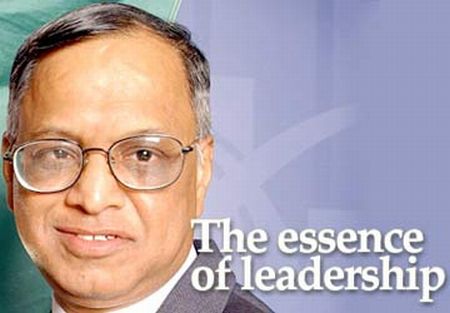
30 lessons from Infosys Narayana Murthy

NR Narayana Murthy, who steps down as Infosys chairman on August 20, is a role model for not just what he achieved but also how he did it. Here are 30 lessons from Murthy, one for each year he spent at company.
1-Seize Your Gandhi Moment
Murthy, a self proclaimed socialist in the mid ’70s was jailed for 72 hours in Bulgaria. The experience taught him that entrepreneurship and job creation is the way to alleviate poverty.
2-You might fail, but get started Learn from mistakes and move on.
In 1976, Murthy founded Softronics, a company that lasted a year and a half. When he realised that his first venture wasn’t taking off, he moved on.
3-Think Big. Don’t Hesitate to Start Small
In 1981, a determined Murthy started Infosys with Rs 10,000 he borrowed from his wife. In few years, Infosys went on to become one of the largest wealth creators in the country.
4-Cut Yourself a Slice, Not a Large One Always
When Infosys was set up, Murthy took a pay cut while salaries of other co-founder’s were increased by 10 percent. According to Murthy, a leader needs to show his or her sacrifice and commitment
.5-Lend a Hand and Throw in a Foot Too.
After Murthy convinced seven of his colleagues, there was a problem. Nandan’s future inlaws were not sure about him. Murthy met Nandan’s uncle and convinced him.
6-Own Up, and Then Clean Up
In the ’80s Infosys developed an application for a German client. Murthy noticed a single character error and informed the client immediately.
7-Trust in God, But Verify with Data
In God we trust, the rest must come with data, is perhaps Murthy’s favourite statement. When confronted with difficult decisions, he tends to rely on data.
8-Keep the Faith
Infosys almost wound up in 1990. Murthy did not want to sell the company. He asked co-founders if they wanted out and offered to buy their shares. All of them stuck together.
9-Get Involved
Infosys won a contract from Reebok in the early ’90s. Seeing the founders involvement, the software, was nick named ‘Dinesh, Murthy and Prahlad.’ Infy veterans still recall those days.
10-Sharing is Caring
After the IPO, Infosys decided to share a portion of its equity with employees. This helped them retain talent and gave employees a sense of ownership. Murthy is proud of having given away stocks worth over Rs 50,000 crore to employees.
11-Treat your People Good, but Your Best Better
Murthy always had a thing for good performers. And he rewarded them well. When Infosys decided to give its employees stock options, Murthy insisted that some shares be given to good performers through the ‘Chairman’s quota.’
12-Hire a Good Accountant, Even if he is Argumentative
A young, argumentative Indian, was asking too many questions at an annual general body meeting of Infosys. More impressed than irritated, he hired Mohandas Pai, who went on to help Infosys list on Nasdaq.
13-When in Doubt, Disclose
Keep your books clean and leave the cooking to the chef. Murthy’s philosophy about being open and transparent has given the company a lot of credibility. He often says, “When in doubt, please disclose.”
14-Leave the Family Out
Murthy told his wife that only one of them could be with the company. Murthy, along with other founders, said that none of their children would work for Infosys. This left no room for nepotism at Infosys.
15-Don’t be a Push over
In 1994, when General Electric wanted to re-negotiate rates, Murthy said no to selling services any cheaper. This helped Infosys not to be overly dependent on any one client.
16-Make hay While the Sun Shines
In late 90′s, India’s tech companies made use of the Y2K opportunity to make themselves known in the global market. For Infosys, it was a great opportunity to enter into long-term relationships with their customers.
17-Brand-aid First, Get Clinical
When the sexual harassment case against Infosys’ top sales guy Phaneesh Murthy threatened to tarnish the company’s brand, Murthy decided to quickly react. He let go of Phaneesh, and settled the case out of court despite Phaneesh wanting to fight it out.
18-Mind your Business, you’ll See Things Coming
Murthy carries and updates a mental model of Infosys’ business all the time. According to him, every leader must have a model, consisting of six to seven parameters that might affect business.
19-Keep it Simple, Not Silly
Keep your life simple and straight. That way, you get to work more and worry less. Murthy is known to be frugal with money. Despite being one of the richest Indians, he leads a simple life. However, he does not cut corners on buying books or brushing up on literature.
20-Founders Keepers, but Not Forever
Murthy’s decision to not allow founders to continue with the company after the age of 65 set another standard for the company. This way, younger leaders at Infosys had a greater chance at the top positions.
21-Talent Spotting and Division of Labour
Murthy is known to have an eye for talent and a talent for dividing labour. Nandan was given sales responsibilities while Kris and Shibu did the tech stuff. N S Raghavan was asked to handle people and Dinesh was assigned quality.
22-Hold on to Your People but don’t Cling
Letting go is never easy but its not good to cling on to your colleagues either. Amongst the founders, Ashok Arora, Nandan Nilekani and K Dinesh have quit Infosys. Infy veteran Mohandas Pai has also left Infosys.
23-Give, it only gets you more
In 2010, the Murthy’s donated $ 5.2 million USD to Harvard University Press for a project that aims to make India’s classical heritage available for generations to come. He is also supporter of the Akshaya Patra Foundation.
24-Do it First and Do it Right
Infosys did many things first. And most things right. For example, it was the first Indian company to list on Nasdaq. It was the first Indian company to make it to the Nasdaq 100 list and it was the first Indian company to attain the highest level of quality certification.
25-Perils of Being a Poster Child
Being the poster child of Indian IT industry, Infosys and Murthy have been at the receiving end of many criticisms. The company has been accused of taking away American jobs and been called a “chop shop.”
26-Get Rich. Honestly
Rich businesses were considered to be dirty in the days when the country had a socialist bent. Infy was a company which got rid of this sentiment. Murthy, with his ‘no compromise’ policy on greasing palms and doing ethical business, set the standards.
27-Do Not be Afraid to Court Controversy
Ever since Infosys became a success, Murthy was under constant public glare. This did not deter the straight talking Murthy from courting controversy or voicing his opinions openly.
28-Invest in Learning
With big investments in training, development and building facilities, India’s IT bell-weather has always been keen on grooming the younger generation. Murthy drove the culture of learning in the company in its early days
.
29-Never Lose the Common Touch
The big man of Indian IT kept his personal life simple. He lives in a simple, middle class house and flies economy till date. Murthy has always been accessible to people around him.
30-Do Good, Look Good
Murthy knew the importance of creating an image for Infosys. He invested in creating a sprawling, world class campuses early on, bigger than any other company’s headquarters in the country, that would make his global customers feel like they were in a global office.

Wednesday, September 7, 2011

An inside look at the National Security Agency (NSA).


The following video is an official release by the NSA, for PR purposes. 
The movie can also be found on the agency's Website.


The Must Watch for all Computer security enthusiasts,


Thanks

How to Bypass Firewall restrictions on outgoing Web connections, using SSH Tunneling


The following procedure allows you to get to blocked Websites, from within a LAN which is subject to Firewall restrictions on outgoing HTTP connections (Web Filtering).

Step 1: How to set up an SSH server in Windows, using CopSSH (an implementation for Windows of OpenSSH).


Step 2: How to create an SSH Tunnel to the server, in order to bypass local Firewall restrictions on outgoing HTTP connections.


Doing the same as above, this time while using Linux instead of Windows (combination of Steps 1+2 described above):


Thanks to Ilan Altir

Hope this three will helped u for better understanding